Welcome to Amplify Desmos Math California!

California educators, welcome to math that motivates. Introducing Amplify Desmos Math California, a new, curiosity-driven TK–12 program that builds lifelong math proficiency. Each lesson poses problems that invite a variety of approaches before guiding students to synthesize their understanding of the learning goals. Students encounter math problems they are eager to solve; teachers spend more time where it’s most impactful: creating a collaborative classroom of learners.

Scroll to learn more about the program and explore sample materials.

About the program

Amplify Desmos Math California is a TK–12 core math program designed to meet the CA Math Framework and the Common Core State Standards for Mathematics. Offered in English and Spanish, Amplify Desmos Math California thoughtfully combines conceptual understanding, procedural fluency, and application through a structured approach to problem-based learning. Through engaging activities, Amplify Desmos Math California invites curiosity and math discourse into the classroom to create lifelong math proficiency.

Please scroll to learn more about the K–8 program and explore sample materials. (TK and high school materials are in development and will be available soon.)

A powerful math suite

Amplify Desmos Math California combines the best of assessment, problem-based core lessons, personalized practice, and intervention into a coherent and engaging experience for both students and teachers.

Laptop displaying a math problem interface with student assessment reports in the background.

Assessment

mCLASS benchmark assessments, along with daily formative checks, measure not only what students know, but also how they think. The asset-based assessment system provides teachers with targeted, actionable insights, linked to core instruction and intervention resources. Unit- and lesson-level core assessments give teachers data at their fingertips to guide and differentiate instruction. In grades 3–8, core assessments and performance tasks are designed to prepare students for success on the Smarter Balanced Assessment Consortium (SBAC) testing.

Core instruction

Amplify Desmos Math California core lessons pair problems students are eager to solve with clear instructional moves for teachers. Each lesson is designed to tell a story by posing problems that invite a variety of approaches before guiding students to synthesize their understanding of the learning goals. With built-in differentiation and Multilingual / English Learner support, Amplify Desmos Math California will allow every student to find success in the math classroom.

An educational game screen with a worm on a log and numbered blocks. Adjacent is a worksheet titled "Finding the Missing Pair" with instructions and incomplete equations.
A digital educational screen showing a math problem about converting meters to centimeters. It involves a diving toy sinking 5 meters into a pool. Text prompts users to input the conversion.

Personalized learning

Boost Personalized Learning activities help students access grade-level math through engaging, independent digital practice. Responsive Feedback adjusts to students’ work, providing item-level adaptivity to further support their learning.

Intervention

Integrated resources like Mini-Lessons, Fluency Practice, and Math Adventures provide targeted intervention on a specific concept or skill connected to the daily lesson. Extensions are also available to stretch students’ understanding.

Two pages of a math workbook displaying exercises on determining coordinates after rotation. The pages include diagrams, tables, and practice problems.
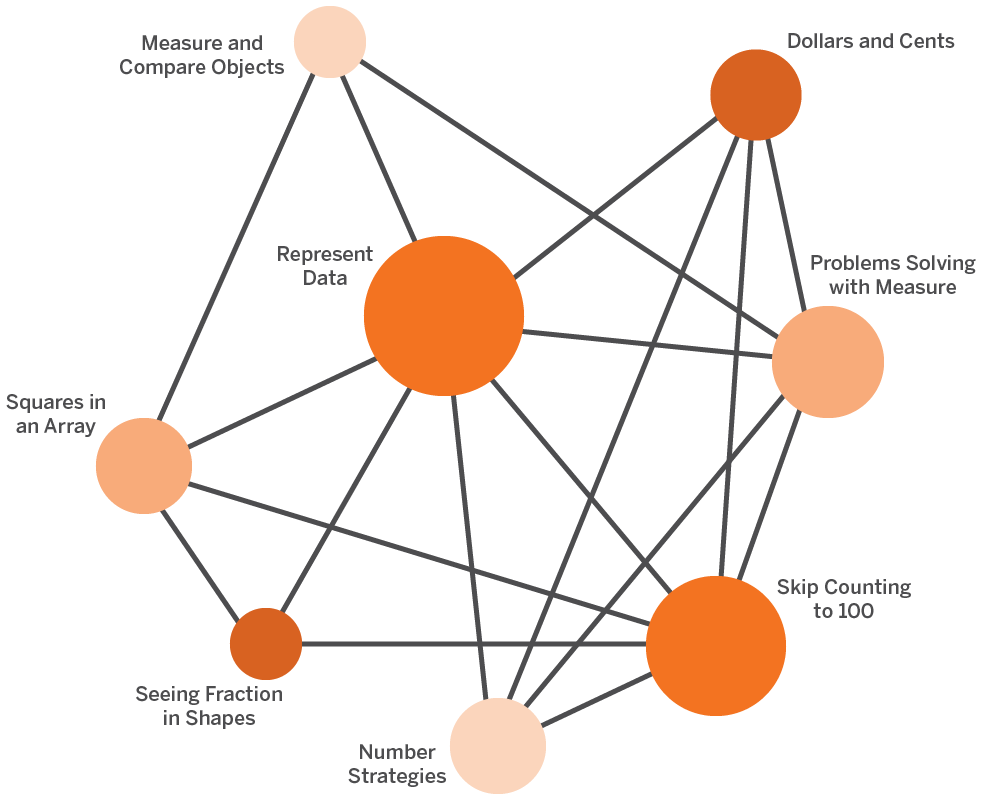
Network diagram with interconnected nodes labeled: Measure and Compare Objects, Represent Data, Dollars and Cents, Problem Solving with Measure, Skip Counting to 100, Number Strategies, Squares in an Array, Seeing Fraction in Shapes.

Big Ideas

The CA Mathematics Framework encourages a shift from power standards to thinking about math as a series of connected Big Ideas. Each Amplify Desmos Math California lesson supports one or more Big Ideas and the connections between Big Ideas. The grade-level diagram changes through the course based on the math concepts being addressed.

Focus, coherence, and rigor

Each lesson highlights why the content being covered is important, how students will engage with the mathematics, and what students will do with the learning. Our lesson opener helps teachers understand the most important concepts of the lesson, and includes the Drivers of Investigation (DI), Content Connections (CC), and Standards for Mathematical Practice (SMP) that drive learning in each lesson.

An educational slide on addition story problems, detailing goals for solving problems, language goals, and strategies using equal expressions, tens and ones, and number sense.
A screen titled "Match the Score" with a 2D target graph showing various scores. Instructions request four ordered pairs to total 400. Four pairs are listed: (4, 2), (7, 4), (7, 6), (10, 6). A "Try again" button is shown.

Built-in authentic tasks

Mathematics is not learning in isolation. Students are connected to each other’s thinking and can use math to understand the world. With accessible invitations to authentic tasks, all students can experience mathematical success. Amplify Desmos Math California provides these authentic invitations in a variety of ways:

Each unit begins with an “Explore” lesson, which allows students to engage with authentic exploration in low-floor, high-ceiling tasks. These tasks are designed in such a way that all students can access the basic mathematical concepts, but they also offer possibilities for advanced exploration and problem-solving for those ready for more complex work, promoting an inclusive and differentiated learning environment.

Our innovative course-level investigations are designed to facilitate multipart exploration. Students grapple with Big Ideas, diving deep into key concepts that encourage comprehensive understanding. Data science is infused into the approach, equipping students with a strong foundation in interpreting and applying data-driven solutions. The Environmental Principles and Concepts (EP&Cs) are also a focus of our investigations, enabling students to understand and appreciate the coherence and interrelationship of Earth’s environmental systems.

A focus on multilingual and English learners

Children sitting at desks in a classroom with a large illustrated caterpillar on the wall. Beside them are printed educational materials labeled “Amplify Desmos Math” and “Ying’s Aquarium Story.”.

In building Amplify Desmos Math California, we partnered with the English Learner Success Forum (ELSF) to provide guidance on our multilingual/English learner support for teachers. ELSF is a national nonprofit organization that advocates for high-quality instructional materials that are inclusive of multilingual learners. ELSF’s guiding documents reflect research-based instructional strategies that are critical to curriculum design and were created by researchers, linguists, and practitioners from across the country. ELSF reviewed our materials and provided directional guidance and feedback to ensure that the program fully supports multilingual/English learners.

A component of our K–5 curriculum is the engaging unit stories that interweave mathematics with real-life situations and relatable narratives. These unit stories are specifically crafted to inspire curiosity and foster a deep connection between the learner and the math concepts being explored. This unique approach not only makes learning fun and interesting, but also allows our young learners to see themselves in the math.

To help students grow their domain-specific and academic vocabulary, Amplify Desmos Math California provides embedded vocabulary routines, such as prompting teachers to use a Frayer Model. These routines allow students to make connections to new language and offer repeated opportunities to develop and refine language.

Amplify Desmos Math California recognizes the diverse language needs of our students and is designed to be inclusive. Each lesson in the program features a parallel language activity, designed to be available to all students, in the form of teacher guidance and student activities. The activities in the Math Language Development Resource has leveled ELD (Emerging, Expanding, Bridging) differentiation to support all levels of Multilingual and English Learners. This approach ensures that all students, regardless of their language skills, can participate fully, grasp the material, and excel in their mathematical journey.

Uploaded digital glossary for languages other than Spanish. Up to nine languages of translations will be provided for.

Amplify Desmos Math California will include support resources for Spanish-speaking students across TK–Algebra 1/Integrated I beginning in the 20262027 school year.

A computer displays an educational activity about measuring platform heights. A notebook page is layered behind it, with a colorful hamster-themed illustration.

K–5 sample materials

Click the links in the drop-down sections below to explore sample materials from each grade. 

For helpful navigation tips and more program information, download the Amplify Desmos Math Program Guide.

You can also watch a product expert walk through a lesson and the available program components.
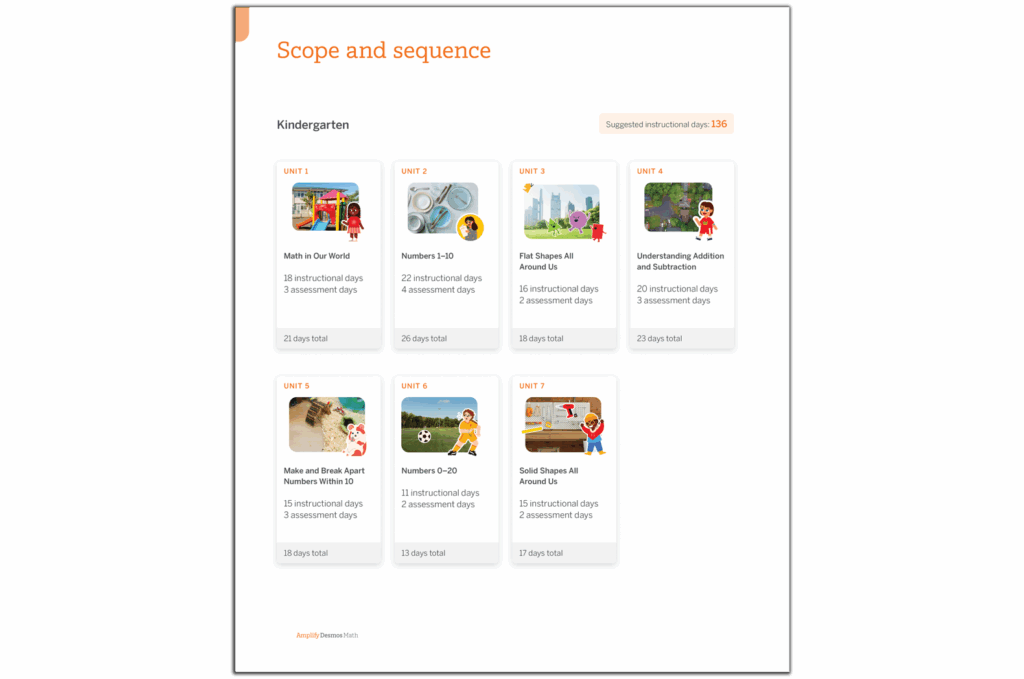
Screenshot of a kindergarten curriculum outline featuring units like Math in Our World, Numbers 1-10, Positions and Shapes, Understanding Addition, Making 10, and Shapes All Around Us. This comprehensive program utilizes New York Math standards to build foundational skills.
Program structure

Get to know the content and structure of Kindergarten Amplify Desmos Math California.
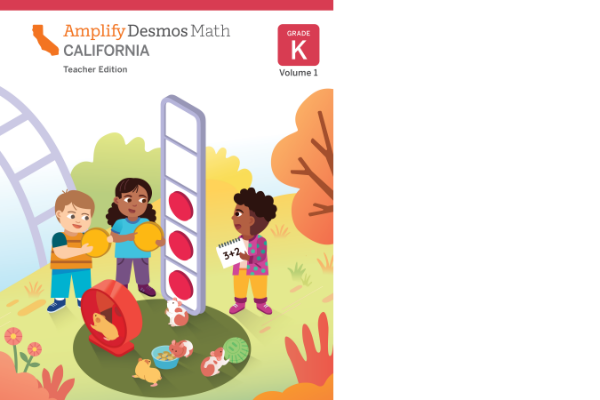
Cover of Amplify Desmos Math Grade K Teacher Edition featuring three children playing with math-related objects and a group of rabbits sitting nearby, aligning with the engaging curriculum seen in New York math classrooms.
Teacher Edition pages

Planning and instructional guidance is visual, organized, and easy-to-follow. To help you review the program, we have included samples from a complete sub-unit on this site: Unit 2, Sub-Unit 1: Counting and Comparing Objects.

Digital educational activity showing a blue backpack illustration with dots, a task to match dots on cards, and printed sheet featuring a similar dot-matching exercise.
Digital experience

Explore our digital experience! Every lesson in Amplify Desmos Math California has student print materials and digital recommendations.

Cover of "Amplify Desmos Math: Student Edition Kindergarten," featuring an illustration of three children playing with math-related toys. A group of small white animals, possibly hamsters, play nearby. The scene brilliantly captures the joy of New York math exploration for young learners.
Student Edition pages

Motivate students with mathematics that is both rigorous and delightful.

Cover of "Amplify Desmos Math Grade K Centers Resources" featuring a large, stylized red and pink "C" on a light pink background with simple geometric designs. This distinctive cover complements New York math curriculums with its engaging visual elements.
Centers Resources

Engaging, hands-on games for students to play collaboratively to strengthen their understanding of key skills and concepts.
Cover of "Amplify Desmos Math: Grade K." The title is displayed with a geometric "I" illustration in the center. Subtitle reads "Intervention and Extension Resources" on a pink and white background, ideal for New York math standards.
Intervention and Extension Resources

Additional resources to reinforce and extend key concepts, including Mini-Lessons and Extensions.
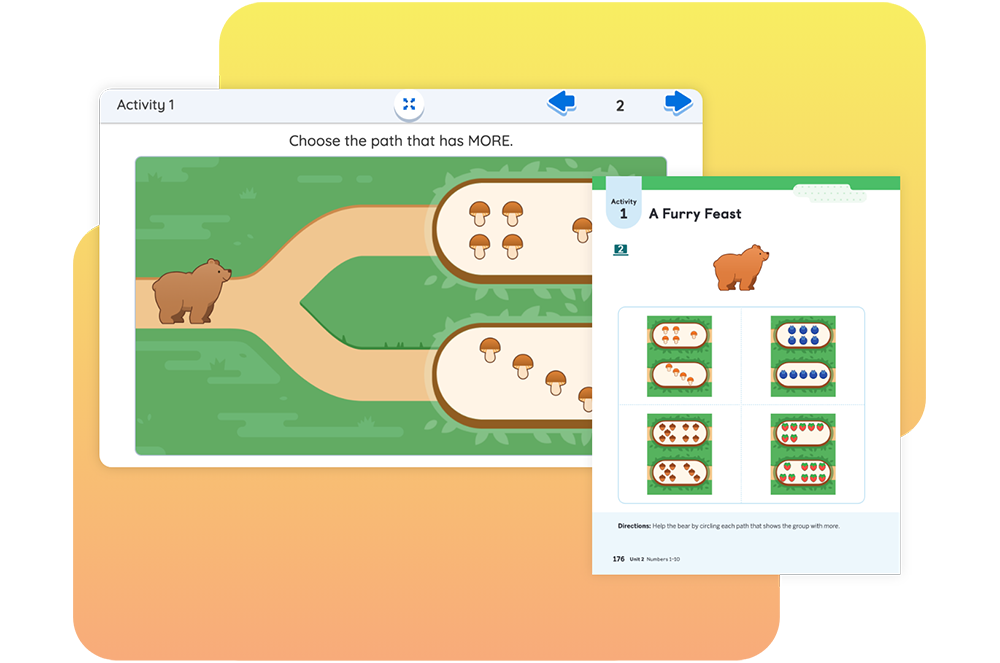
Illustration of a bear choosing a path with more mushrooms. Activity book page titled "A Furry Feast" with groups of objects to compare quantities.

In this lesson, students apply their understanding of how to compare groups of images as they determine which group has more or fewer and then compare their strategies by guiding a bear through a path that has more mushrooms than the other.
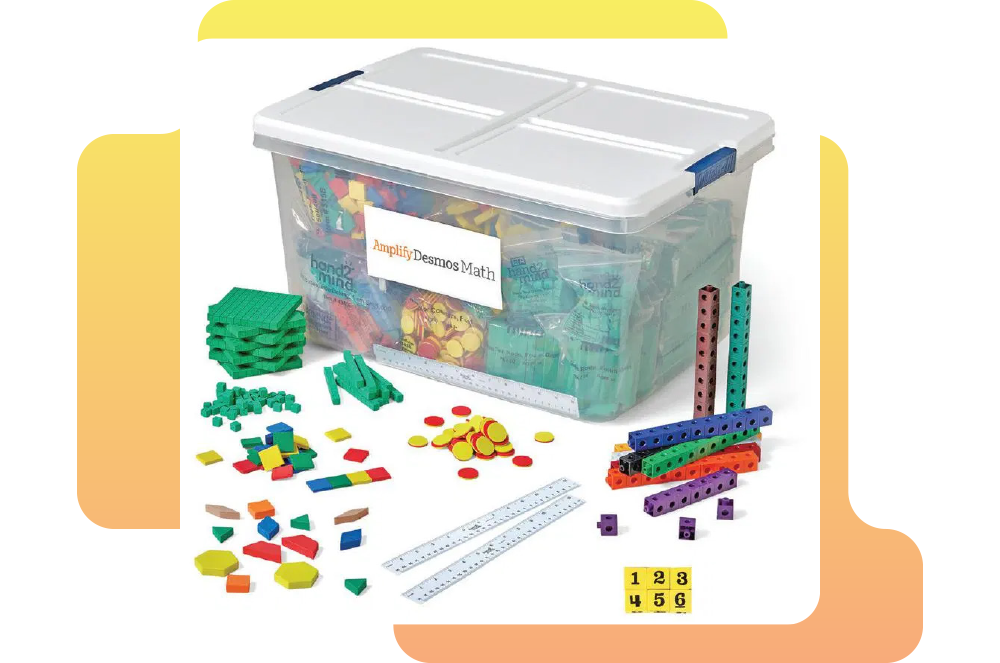
A clear plastic box contains various math manipulatives, including counting cubes, geometric shapes, rulers, and dice, displayed outside the box.
Hands-on manipulative kit

An optional add-on to your Amplify Desmos Math California program, the manipulative kit provides hands-on learning tools designed to simplify and illustrate complex mathematical concepts.
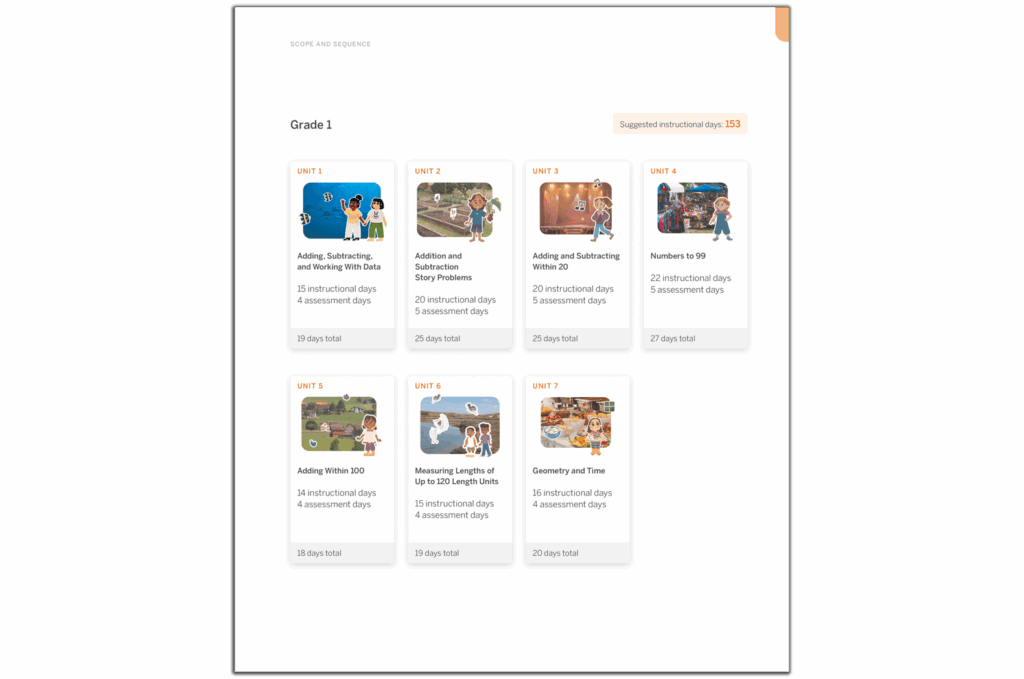
Grade 1 math curriculum overview displaying six units with instructional and assessment days: counting, addition, subtraction, numbers to 10, comparing numbers, measuring length, and geometry—aligned with the New York Math standards.
Program structure

Get to know the content and structure of Grade 1 Amplify Desmos Math California.

Children interact with math activities on a large tablet while observing fish illustrations. The text reads "Amplify Desmos Math Grade 1 Teacher Edition, aligned with New York Math standards.
Teacher Edition pages

Planning and instructional guidance is visual, organized, and easy-to-follow. To help you review the program, we have included samples from a complete sub-unit on this site: Unit 2, Sub-Unit 1: Story Problems in Maui.
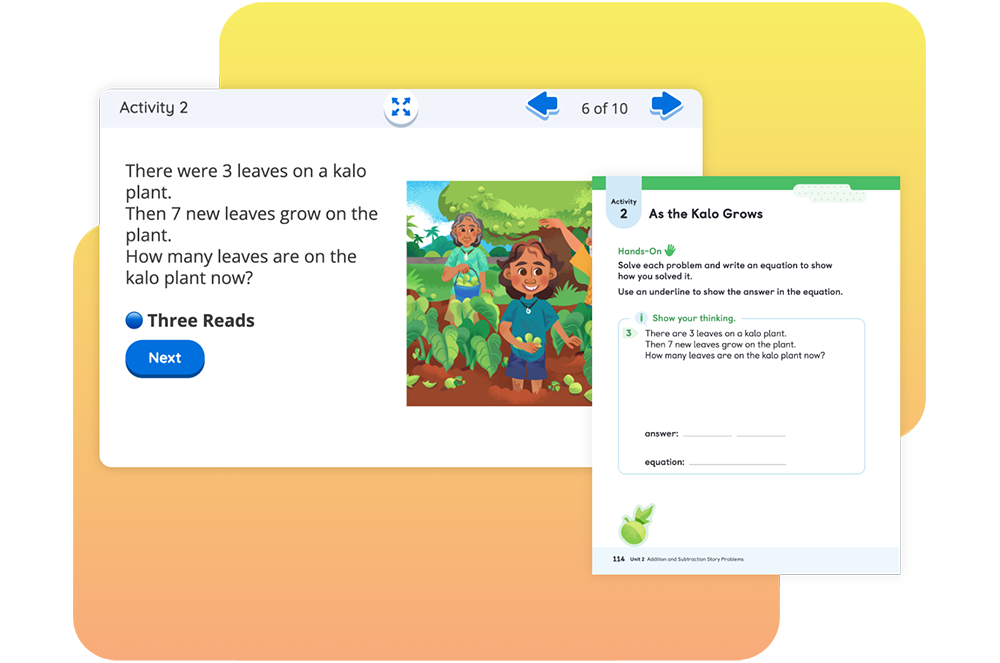
A digital educational activity showing a math problem about leaves on a kalo plant with a related worksheet on plant growth.
Digital experience

Explore our digital experience! Every lesson in Amplify Desmos Math California has student print materials and digital recommendations.

Illustration of three children engaged in math activities from the "Amplify Desmos Math: Student Edition 1" textbook. One child holds a number card, while the others manipulate counters and images, experiencing an exciting approach inspired by New York math techniques.
Student Edition pages

Motivate students with mathematics that is both rigorous and delightful.

Centers Resources

Engaging, hands-on games for students to play collaboratively to strengthen their understanding of key skills and concepts.

Intervention and Extension Resources

Additional resources to reinforce and extend key concepts, including Mini-Lessons and Extensions.
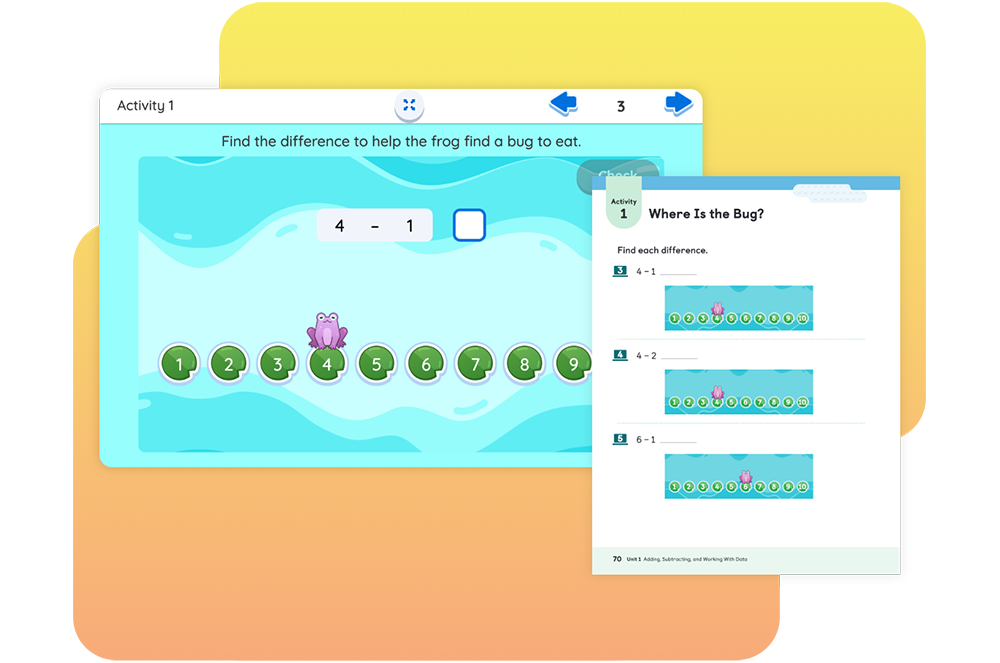
Interactive math activity for kids featuring a frog and number line for subtraction problems, asking to find differences to locate bugs.

In this lesson, students find differences when subtracting 1 and 2 from the same number by helping a frog reach a lily pad where it can eat a bug.

A clear plastic box contains various math manipulatives, including counting cubes, geometric shapes, rulers, and dice, displayed outside the box.
Hands-on manipulative kit

An optional add-on to your Amplify Desmos Math California program, the manipulative kit provides hands-on learning tools designed to simplify and illustrate complex mathematical concepts.
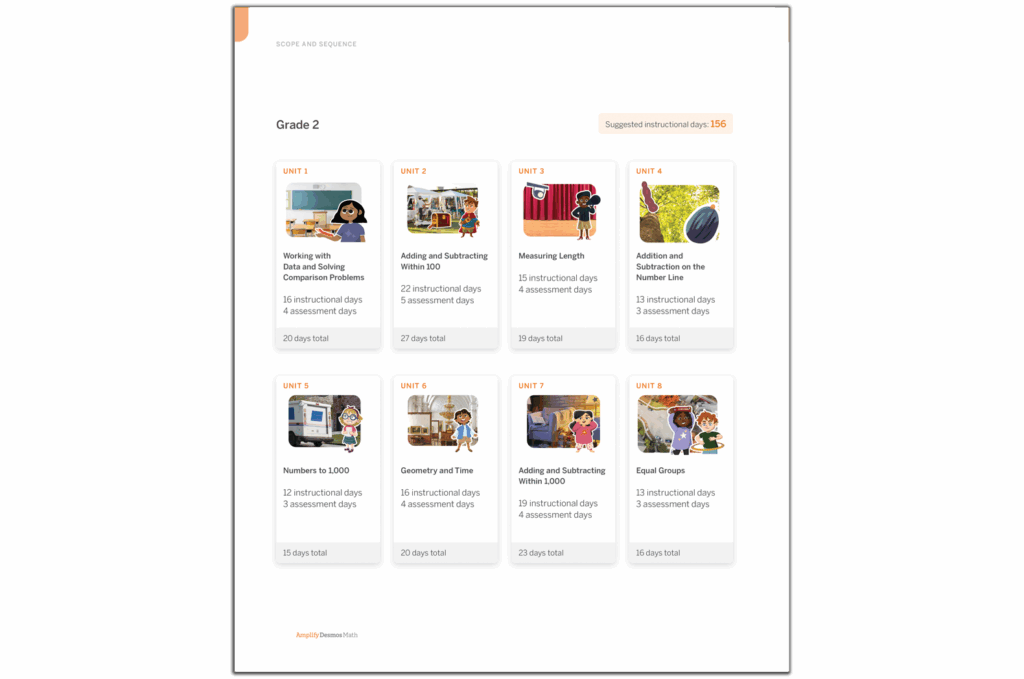
A curriculum overview for Grade 2 in New York Math displaying 8 units, including topics like comparisons, addition, subtraction, and geometric shapes, with details on the number of instructional and assessment days. This plan integrates resources from Amplify Desmos Math to enrich learning experiences.
Program structure

Get to know the content and structure of Grade 2 Amplify Desmos Math California.
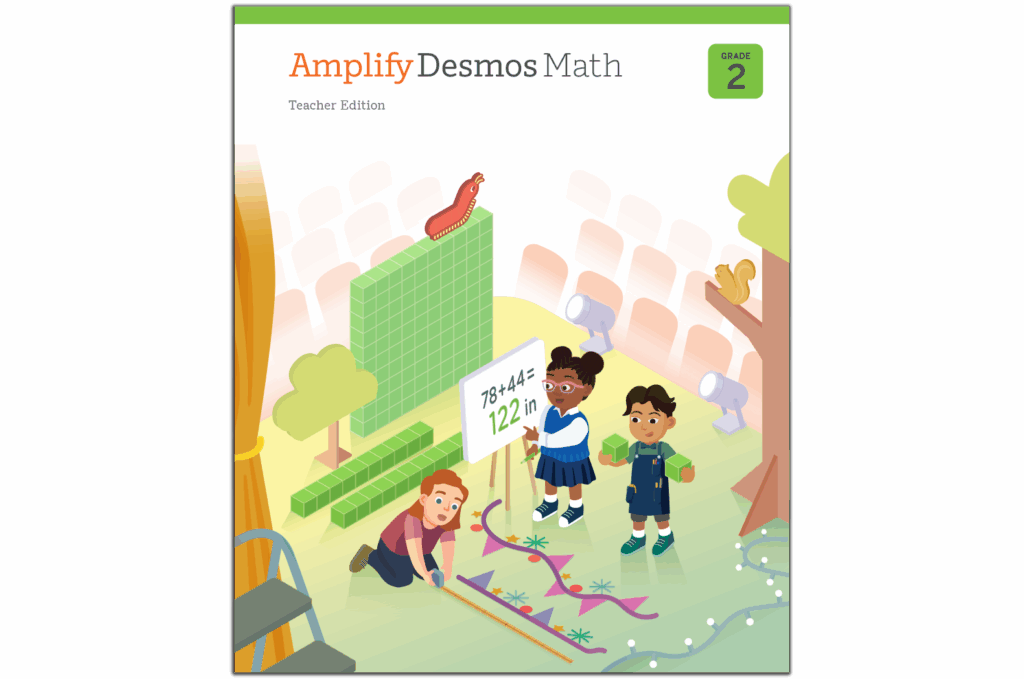
Cover of the "Amplify Desmos Math" Grade 2 Teacher Edition, showcasing children measuring with rulers and a poster displaying a mathematical equation, set against whimsical scenery with a colorful dragon. Perfect for New York math classrooms.
Teacher Edition pages

Planning and instructional guidance is visual, organized, and easy-to-follow. To help you review the program, we have included samples from a complete sub-unit on this site: Unit 2, Sub-Unit 1: Adding and Subtracting.
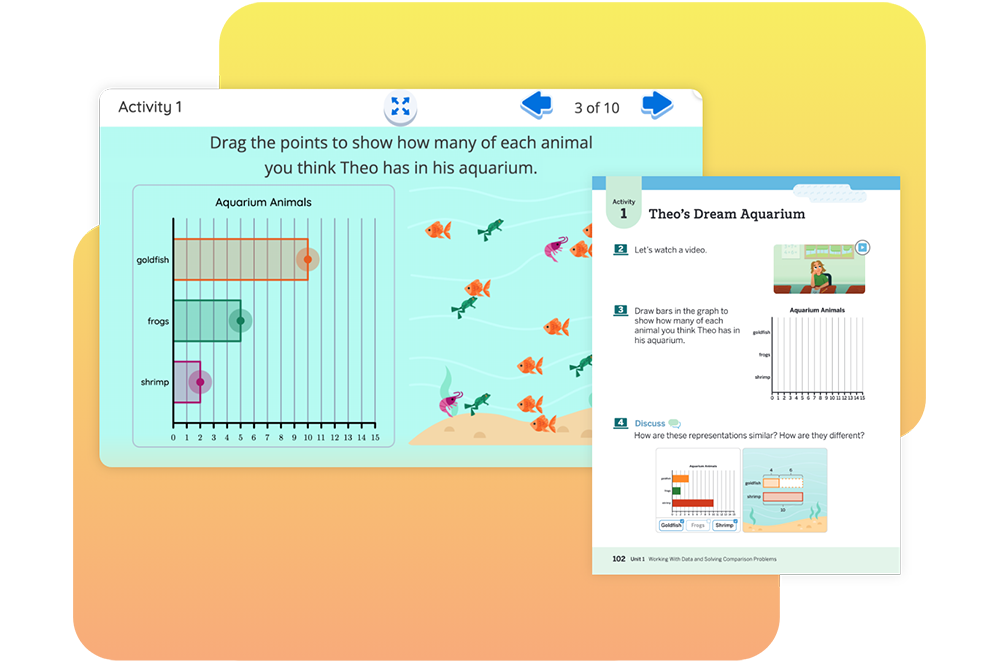
Two digital worksheets about Theo's aquarium with tasks to estimate animal quantities using draggable graphs and illustrations of fish, frogs, and shrimps.
Digital experience

Explore our digital experience! Every lesson in Amplify Desmos Math California has student print materials and digital recommendations.

Cover of "Amplify Desmos Math Student Edition 2" showing three children performing a New York math activity with blocks and measurements.
Student Edition pages

Motivate students with mathematics that is both rigorous and delightful.

Cover of an educational book titled "Amplify Desmos Math Grade 2 Centers Resources" featuring a green "C" on a light green background, perfect for enhancing New York math education.
Centers Resources

Engaging, hands-on games for students to play collaboratively to strengthen their understanding of key skills and concepts.

Cover of "Amplify Desmos Math Grade 2: Intervention and Extension Resources" featuring a green numeral 1 on a light green background, aligning with the New York math standards.
Intervention and Extension Resources

Additional resources to reinforce and extend key concepts, including Mini-Lessons and Extensions.

Educational activity on a screen showing a worm and blocks with numbers. Another page shows an activity titled "Finding the Missing Pair," with numbered options and a video prompt.

Students continue to develop fluency by finding the number that makes 10 by helping a millipede reach its favorite food – a clump of leaves!

A clear plastic box contains various math manipulatives, including counting cubes, geometric shapes, rulers, and dice, displayed outside the box.
Hands-on manipulative kit

An optional add-on to your Amplify Desmos Math California program, the manipulative kit provides hands-on learning tools designed to simplify and illustrate complex mathematical concepts.
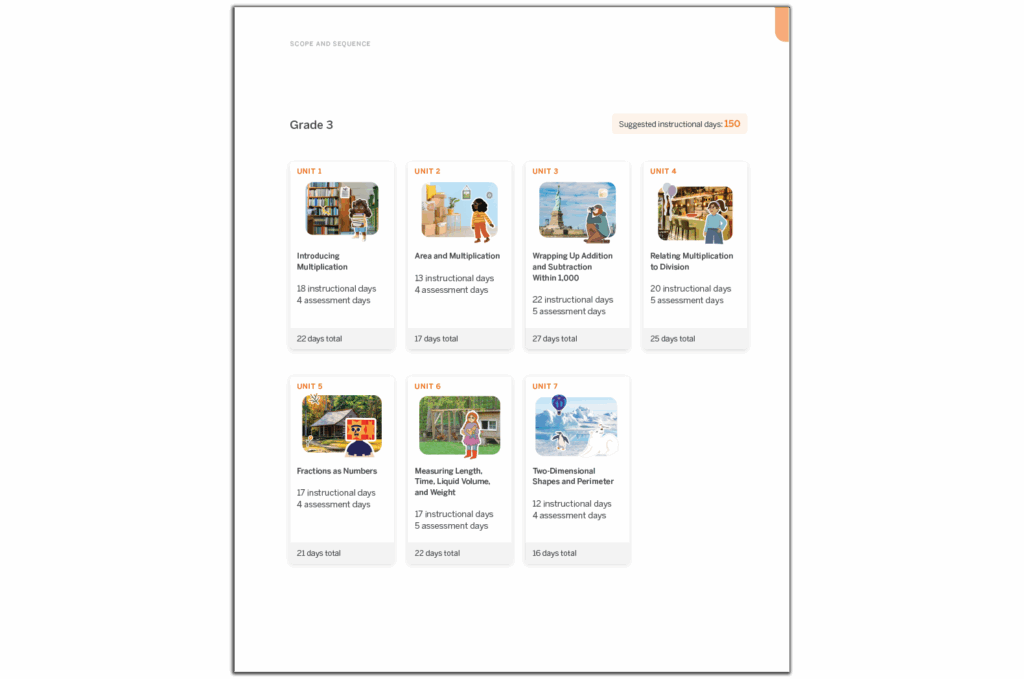
An educational curriculum outline for Grade 3 with seven units covering various mathematics topics, including multiplication, shapes, fractions, and measurement. Suggested instructional days are provided. The New York Math approach ensures a thorough understanding of each concept.
Program structure

Get to know the content and structure of Grade 3 Amplify Desmos Math California.

Cover of a "Grade 3 Amplify Desmos Math Teacher Edition" book, featuring a cutaway building with diverse students and a teacher working on New York math problems and organizing materials.
Teacher Edition pages

Planning and instructional guidance is visual, organized, and easy-to-follow. To help you review the program, we have included samples from a complete sub-unit on this site: Unit 2, Sub-Unit 1: Concepts of Area Measurement.
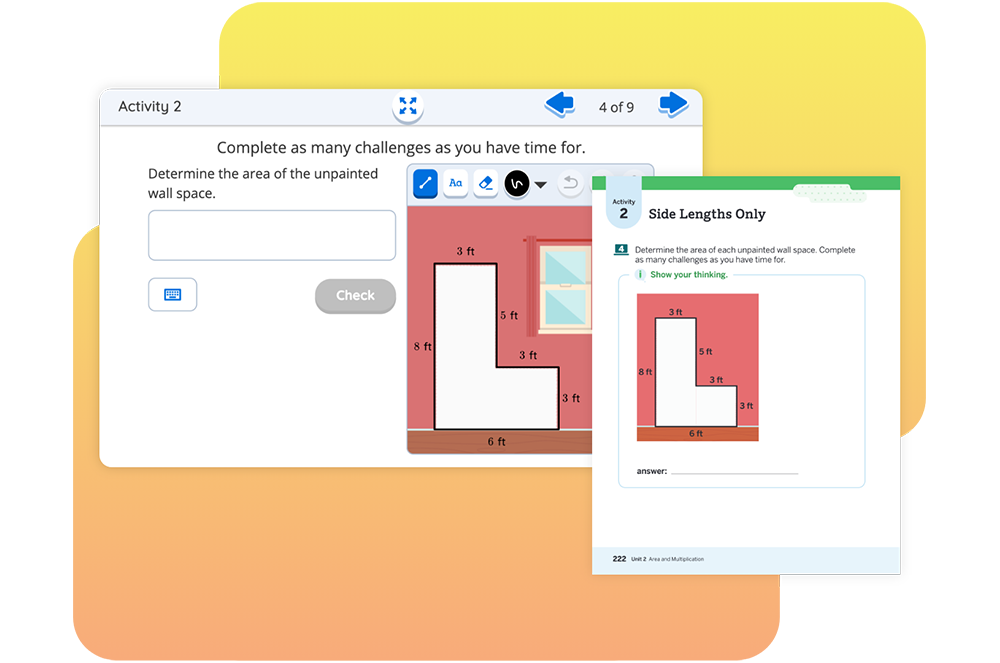
Math activity screenshot showing a problem to calculate the area of an unpainted wall space with given side lengths in a room diagram.
Digital experience

Explore our digital experience! Every lesson in Amplify Desmos Math California has student print materials and digital recommendations.

Cover of "Amplify Desmos Math Student Edition 3" showcasing illustrated children engaged in various mathematical activities inside a glass house structure, reflecting the dynamic energy of New York math.
Student Edition pages

Motivate students with mathematics that is both rigorous and delightful.

Cover of the Amplify Desmos Math Grade 3 Centers Resources book, featuring a 3D letter "C" in blue and white on a minimalistic background, perfect for aligning with New York math standards.
Centers Resources

Engaging, hands-on games for students to play collaboratively to strengthen their understanding of key skills and concepts.
Cover of an "Amplify Cover of the "Amplify Desmos Math" Grade 3 book featuring intervention and extension resources, with a blue geometric "I" on a light blue background, aligning with New York Math standards.
Intervention and Extension Resources

Additional resources to reinforce and extend key concepts, including Mini-Lessons and Extensions.
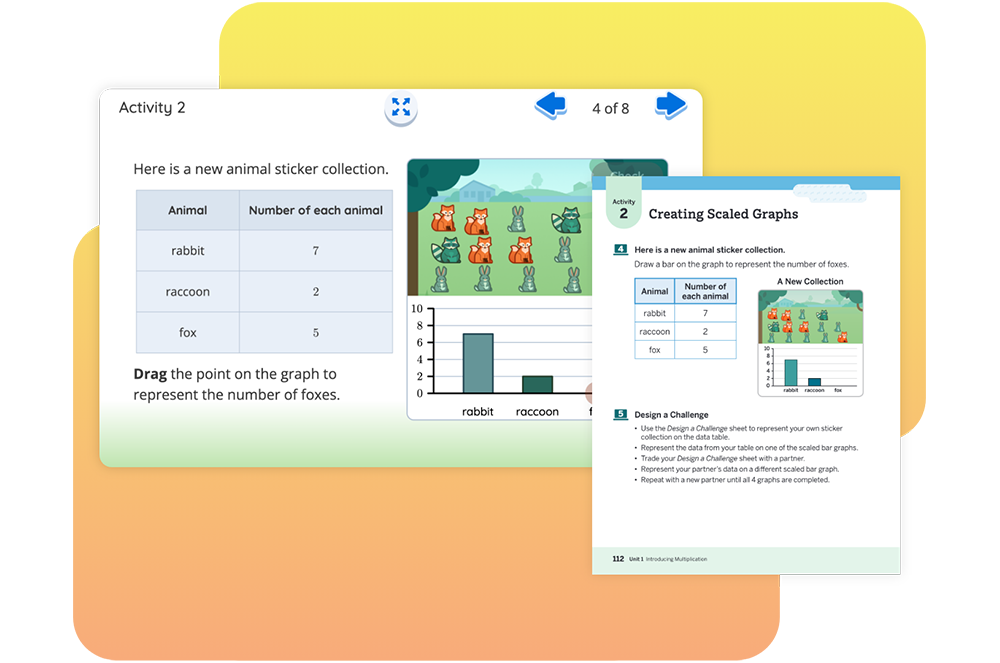
Activity sheets showing a bar graph and a table for counting animal stickers: 7 rabbits, 5 raccoons, and 2 foxes. Includes instructions for arranging data points on a graph.

Students compare data represented on bar graphs with different scales by using animal stickers to create scaled bar graphs.

A clear plastic box contains various math manipulatives, including counting cubes, geometric shapes, rulers, and dice, displayed outside the box.
Hands-on manipulative kit

An optional add-on to your Amplify Desmos Math California program, the manipulative kit provides hands-on learning tools designed to simplify and illustrate complex mathematical concepts.

A course outline for Algebra 1 with 8 units, each detailing the number of instructional and optional days. The total suggested instructional days are 144 and 28 optional days, aligning with New York Math standards.
Program structure

Get to know the content and structure of Grade 4 Amplify Desmos Math California.

Cover of "Amplify Desmos Math: Teacher Edition Grade 4" showing children learning New York Math outdoors, using large mathematical tools and numbers, with one child in a wheelchair.
Teacher Edition pages

Planning and instructional guidance is visual, organized, and easy-to-follow. To help you review the program, we have included samples from a complete sub-unit on this site: Unit 2, Sub-Unit 1: Size and Location of Fractions.

Screenshot of a digital math activity showing a fraction number line task with a log-cutting visual and an instruction page titled "Locating Fractions.
Digital experience

Explore our digital experience! Every lesson in Amplify Desmos Math California has student print materials and digital recommendations.
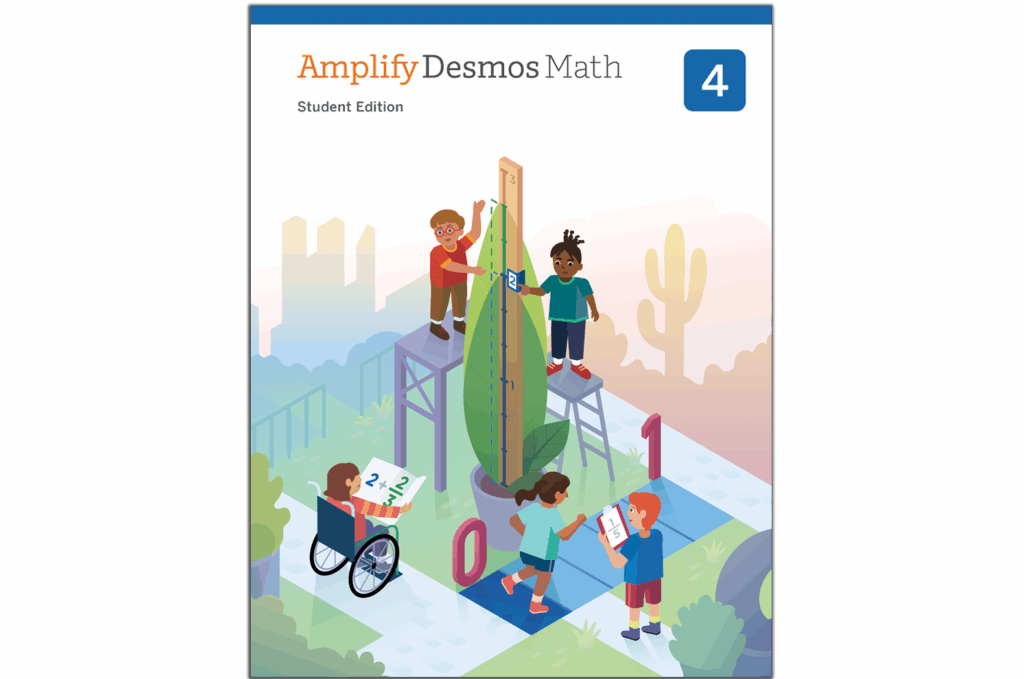
Cover of "Amplify Desmos Math, Student Edition, Grade 4," showcasing students collaborating on math problems involving shapes and numbers against a vibrant backdrop that blends cityscapes and natural scenery, capturing the essence of New York math learning.
Student Edition pages

Motivate students with mathematics that is both rigorous and delightful.

Cover of the "Amplify Desmos Math" Grade 4 Centers Resources book, featuring a large, stylized blue letter "C" on a light blue background. This essential resource for New York math educators ensures engaging and effective instruction.
Centers Resources

Engaging, hands-on games for students to play collaboratively to strengthen their understanding of key skills and concepts.
Cover of "Amplify Desmos Math, Grade 4: Intervention and Extension Resources," featuring a geometric illustration and a blue and orange color scheme inspired by New York math standards.
Intervention and Extension Resources

Additional resources to reinforce and extend key concepts, including Mini-Lessons and Extensions.

An educational activity displays a drag-and-drop task to determine platform heights using tube lengths, showing a room scene and instructions on a digital interface.

Students choose tube lengths to connect to platform heights for hamster homes, identifying possible heights using what they know about multiples.

A clear plastic box contains various math manipulatives, including counting cubes, geometric shapes, rulers, and dice, displayed outside the box.
Hands-on manipulative kit

An optional add-on to your Amplify Desmos Math California program, the manipulative kit provides hands-on learning tools designed to simplify and illustrate complex mathematical concepts.
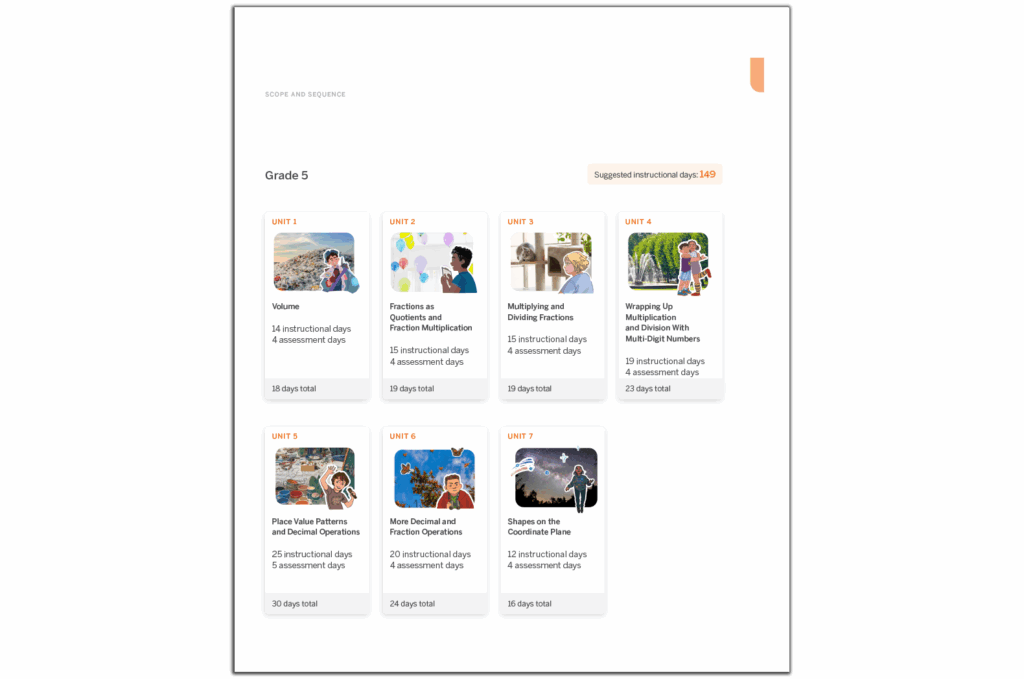
A Grade 5 curriculum scope and sequence chart with units covering volume, fractions, multiplication, shapes, place value, and measurement. Each unit lists instructional and assessment days to amplify Desmos Math activities.
Program structure

Get to know the content and structure of Grade 5 Amplify Desmos Math California.

Illustration of three students engaging with various math activities outdoors and around large blocks. Text at the top reads "Amplify Desmos Math, Grade 5, Teacher Edition" - a perfect resource for New York math educators.
Teacher Edition pages

Planning and instructional guidance is visual, organized, and easy-to-follow. To help you review the program, we have included samples from a complete sub-unit on this site: Unit 2, Sub-Unit 1: Fractions as Quotients.

Activity worksheet and digital screen showing a panda on a cliff, with instructions about placing a missing bamboo shoot to help it reach the leaf.
Digital experience

Explore our digital experience! Every lesson in Amplify Desmos Math California has student print materials and digital recommendations.
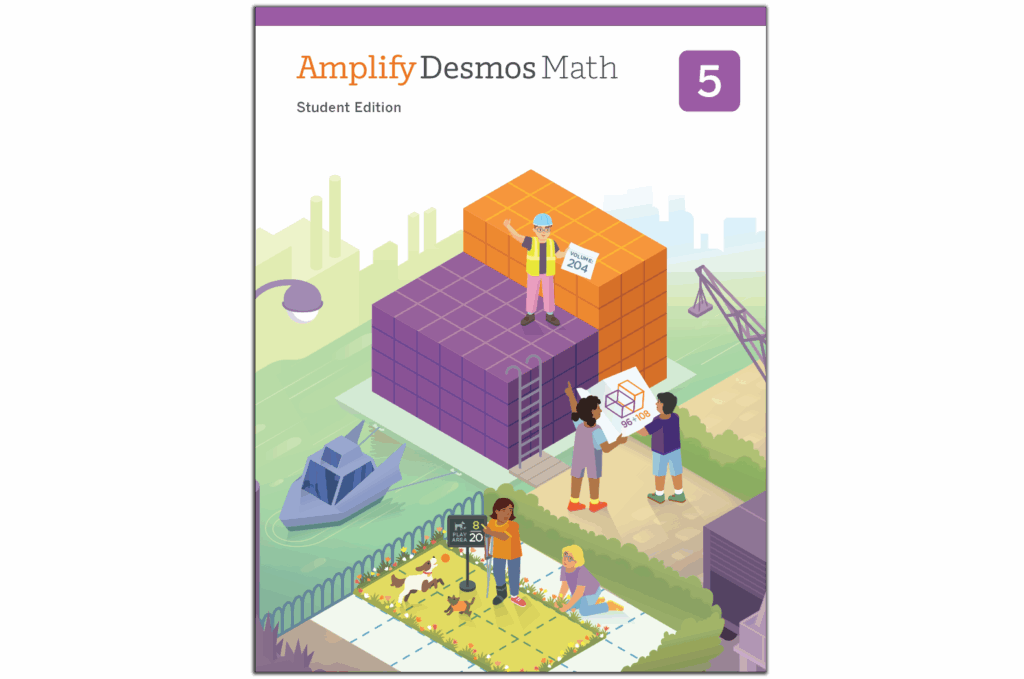
Cover of "Amplify Desmos Math: Student Edition, Grade 5" featuring students engaged in various mathematical activities outside, such as block building, measuring, and gardening—a perfect resource aligning with New York math standards.
Student Edition pages

Motivate students with mathematics that is both rigorous and delightful.

Cover image of "Amplify Desmos Math Grade 5 Centers Resources" featuring a large purple letter C on a light purple background, showcasing the innovative approach of Amplify Desmos Math that's making waves in New York math education.
Centers Resources

Engaging, hands-on games for students to play collaboratively to strengthen their understanding of key skills and concepts.

Cover of "Amplify Desmos Math Grade 5: Intervention and Extension Resources," featuring a large, stylized number five in purple against a light purple background with minimal geometric patterns, ideal for New York math curriculum support.
Intervention and Extension Resources

Additional resources to reinforce and extend key concepts, including Mini-Lessons and Extensions.
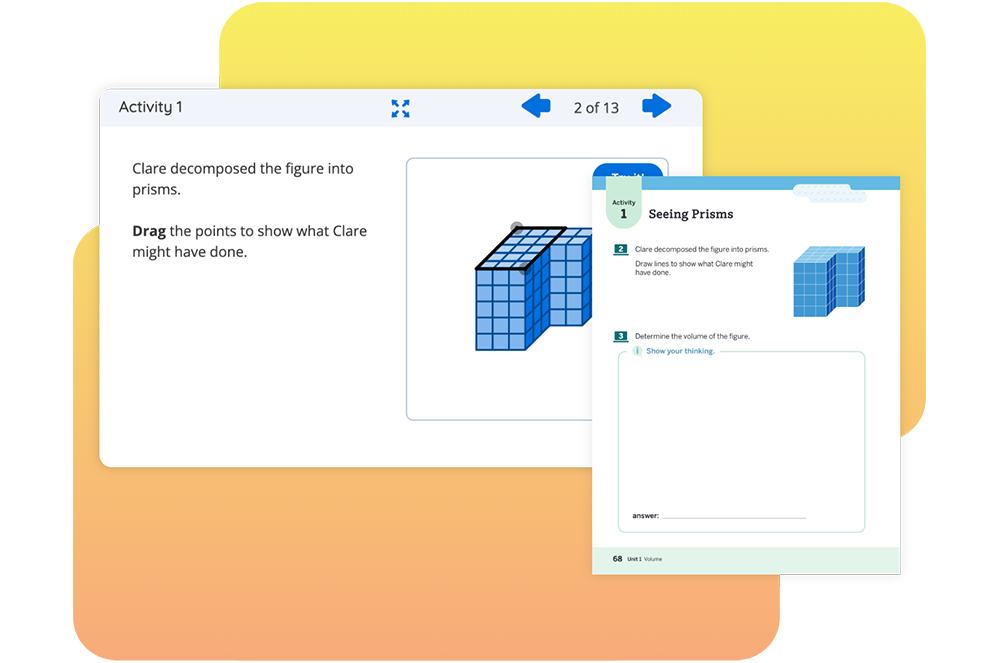
Screen showing a student activity about decomposing a figure into prisms, with a drag-and-drop exercise and an adjacent worksheet labeled "Seeing Prisms.

Students decompose a figure into rectangular prisms and determine the volume of the figure by adding the volumes of the individual prisms.

A clear plastic box contains various math manipulatives, including counting cubes, geometric shapes, rulers, and dice, displayed outside the box.
Hands-on manipulative kit

An optional add-on to your Amplify Desmos Math California program, the manipulative kit provides hands-on learning tools designed to simplify and illustrate complex mathematical concepts.

6–A1 sample materials

Click the links in the drop-down sections below to explore sample materials from each grade. 

For helpful navigation tips and more program information, download the Amplify Desmos Math Program Guide.

You can also watch a product expert walk through a lesson and the available program components.
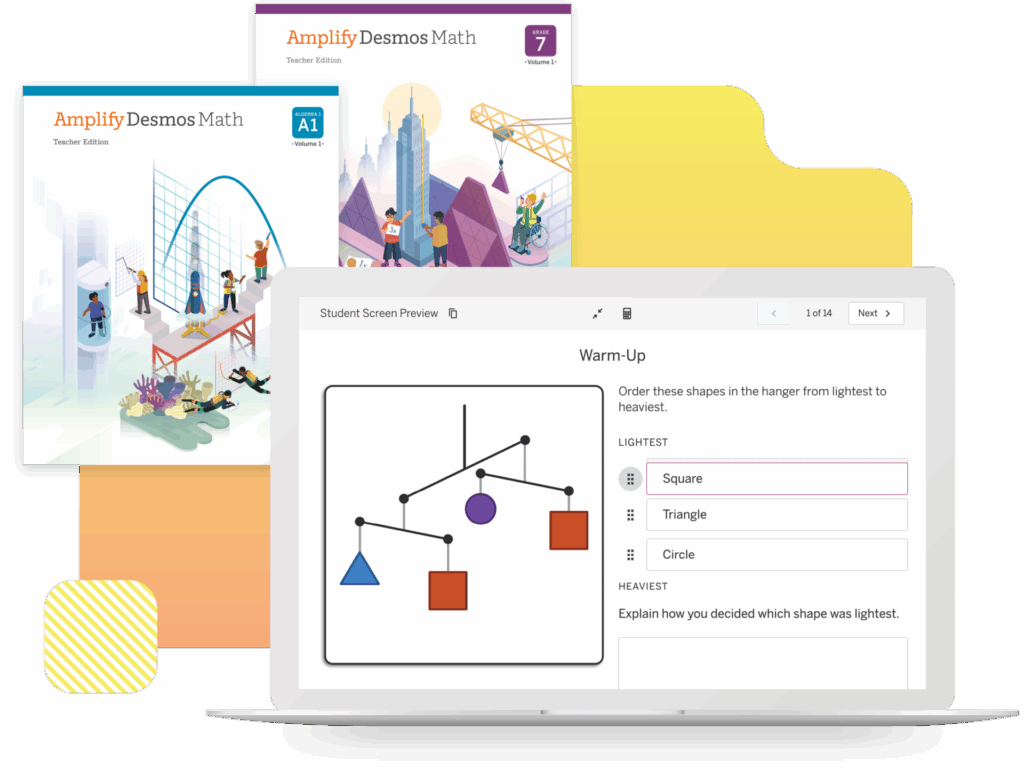
Laptop showing a math activity with geometric shapes. Two textbooks titled "Amplify Desmos Math" are displayed above.
An educational document titled "Scope and Sequence" for Grade 6 math, designed in collaboration with Amplify Desmos Math, outlining six units with instructional and optional days for topics such as fractions, integers, and expressions.
Program structure

Get to know the content and structure of Grade 6 Amplify Desmos Math California.

Cover of the Grade 6 Amplify Desmos Math Teacher Edition, showcasing students engaging in various mathematical activities around a balance scale with variables, inspired by New York math educational standards.
Teacher Edition pages

Planning and instructional guidance is visual, organized, and easy-to-follow. To help you review the program, we have included samples from three sub-units on this site: Unit 1, Sub-Unit 1: Area; Unit 3, Sub-Unit 1: Units and Measurement; and Unit 6, Sub-Unit 1: Solving Equations.

A digital activity showing two model trains on a track with a question about speed. A printed page on the right is titled "Model Trains" with warm-up instructions.
Digital experience

Explore our digital experience! Every lesson in Amplify Desmos Math California has student print materials and digital recommendations.

Cover of “Amplify Desmos Math, Student Edition, Grade 6” featuring an illustration of children engaging in various New York math-related activities outdoors.
Student Edition pages

Motivate students with mathematics that is both rigorous and delightful.

Cover image of "Amplify Desmos Math" for Grade 6, featuring a 3D pink letter "I" and the text "Intervention and Extension Resources." This New York math edition supports students with comprehensive resources.
Intervention and Extension Resources

Additional resources to reinforce and extend key concepts, including Mini-Lessons and Extensions.
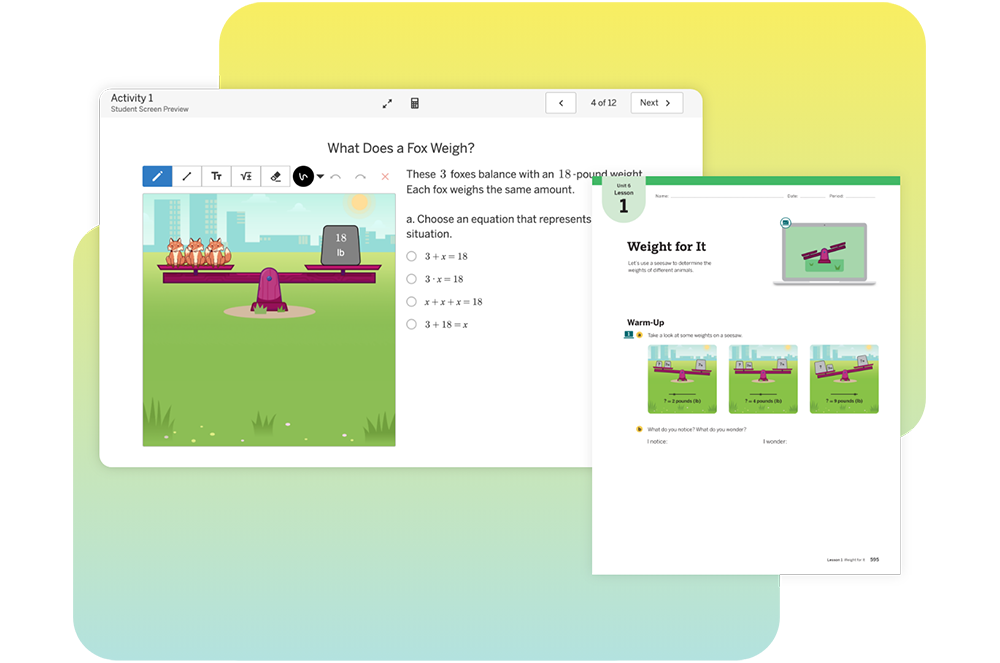
A digital illustration of math balancing scales featuring boxes and a fox, alongside a worksheet displaying similar content and activities for learning math concepts.

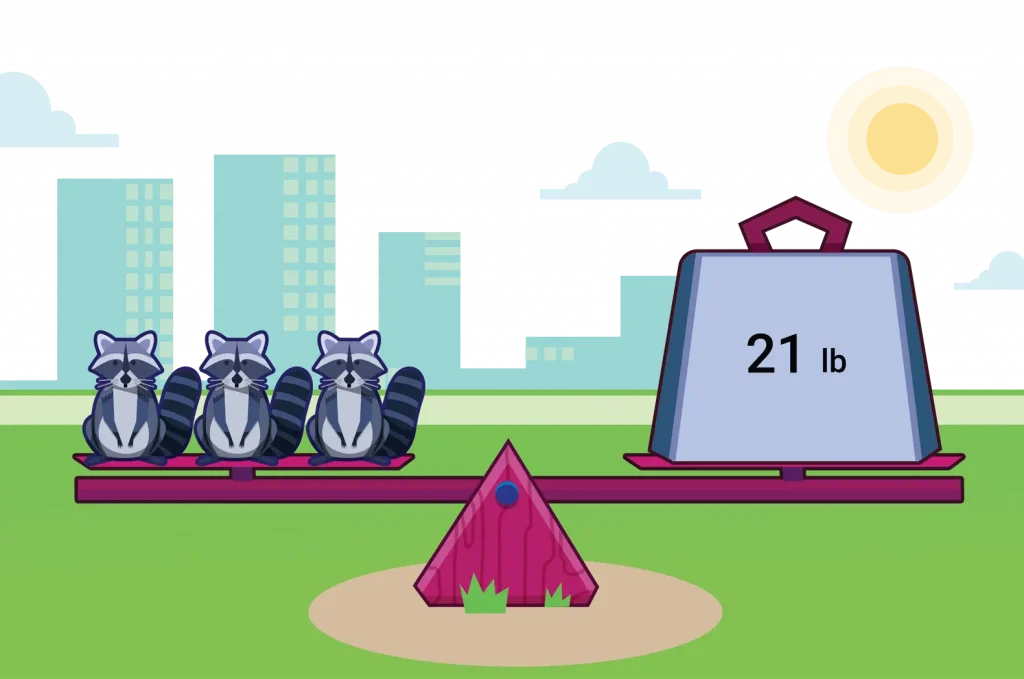
Students use equations and tape diagrams to represent seesaw situations and to determine unknown animal weights, helping them make connections between diagrams that represent equations of the form `x+p=q` or `px=q`.

A clear plastic storage box filled with educational math manipulatives, including colorful blocks, shapes, measuring tools, and counting cubes displayed outside the box.
Hands-on manipulative kit

An optional add-on to your Amplify Desmos Math California program, the manipulative kit provides hands-on learning tools designed to simplify and illustrate complex mathematical concepts.
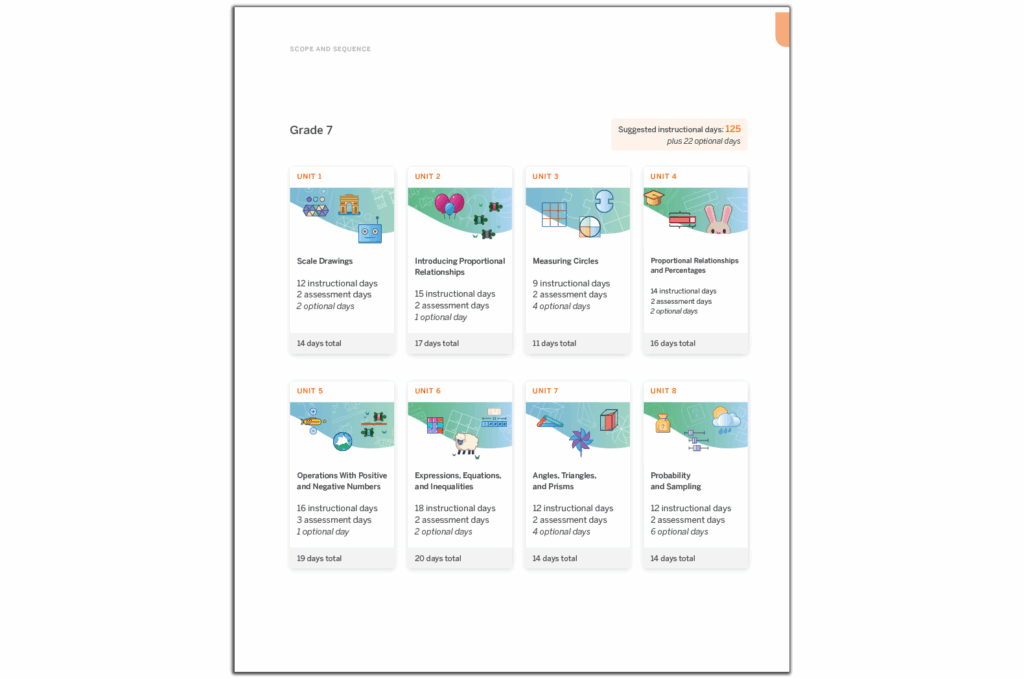
A Grade 7 math curriculum outline, featuring units on scale drawings, proportional relationships, measuring circles, rational numbers, operations, equations, angles, area, and probability with sequencing and days allocated. Perfectly aligned with Amplify Desmos Math for New York Math standards.
Program structure

Get to know the content and structure of Grade 7 Amplify Desmos Math California.

Cover image of "Amplify Desmos Math Teacher Edition Grade 7" featuring an illustration of students engaging in math-related activities with geometric shapes and construction elements against a New York cityscape background.
Teacher Edition pages

Planning and instructional guidance is visual, organized, and easy-to-follow. To help you review the program, we have included samples from three sub-units on this site: Unit 1, Sub-Unit 1: Scaled Copies; Unit 4, Sub-Unit 1: Percentages as Proportional Relationships; and Unit 6, Sub-Unit 1: Equations and Tape Diagrams.
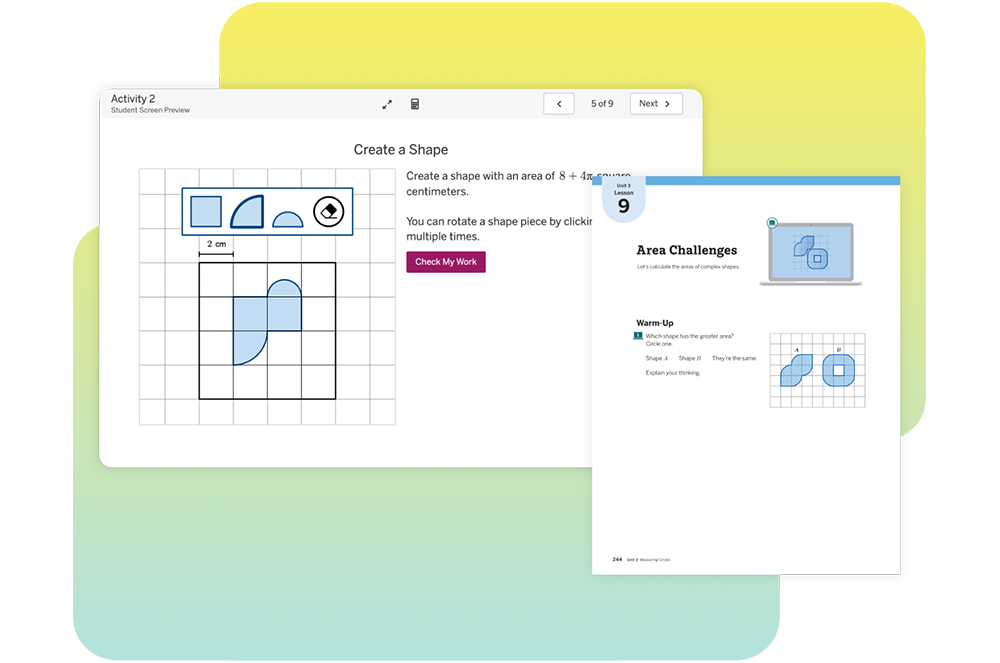
Activity page showing a grid for shape creation with an area of 8 square centimeters. Includes shape options and instructions on rotation. A booklet page displays area challenges and warm-up tasks.
Digital experience

Explore our digital experience! Every lesson in Amplify Desmos Math California has student print materials and digital recommendations.

Cover of "Amplify Desmos Math, Student Edition, Grade 7" showing students engaged in math activities against a cityscape reminiscent of New York, with purple geometric structures and a crane in the background.
Student Edition pages

Motivate students with mathematics that is both rigorous and delightful.

Cover of "Amplify Desmos Math: Grade 7 – Intervention and Extension Resources" featuring a stylized 3D "I" on a light purple background, ideal for both New York math and national curricula.
Intervention and Extension Resources

Additional resources to reinforce and extend key concepts, including Mini-Lessons and Extensions.
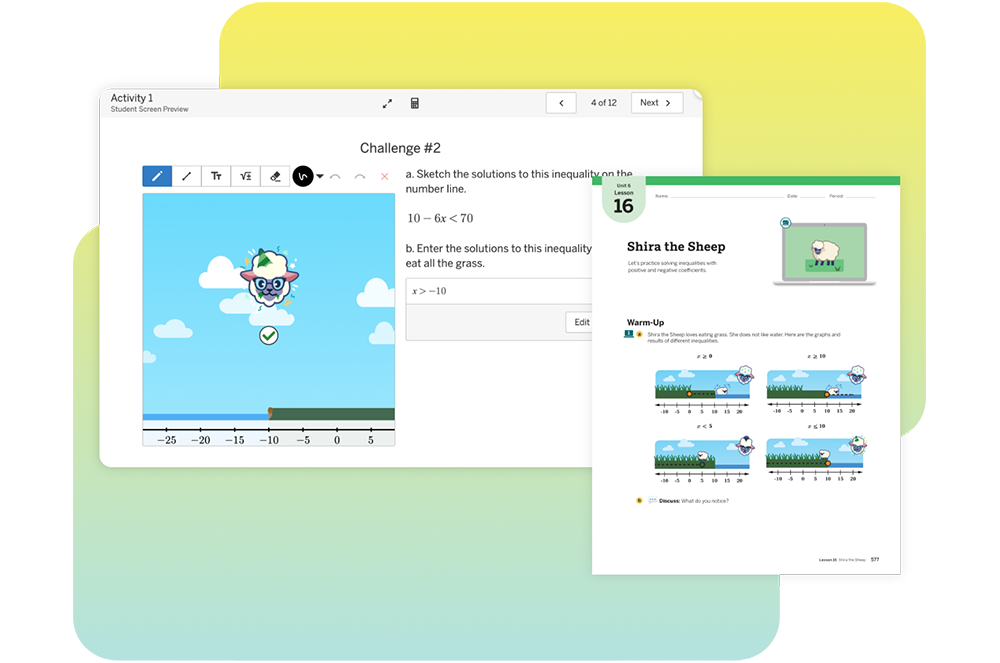
Screenshot of an educational website showing a math activity featuring a sheep named Shira. There is a graph and a worksheet on inequalities displayed.

Students solve inequalities with positive and negative coefficients to solve a variety of challenges featuring a fictional sheep who eats grass according to an inequality.

A clear plastic storage box filled with educational math manipulatives, including colorful blocks, shapes, measuring tools, and counting cubes displayed outside the box.
Hands-on manipulative kit

An optional add-on to your Amplify Desmos Math California program, the manipulative kit provides hands-on learning tools designed to simplify and illustrate complex mathematical concepts.
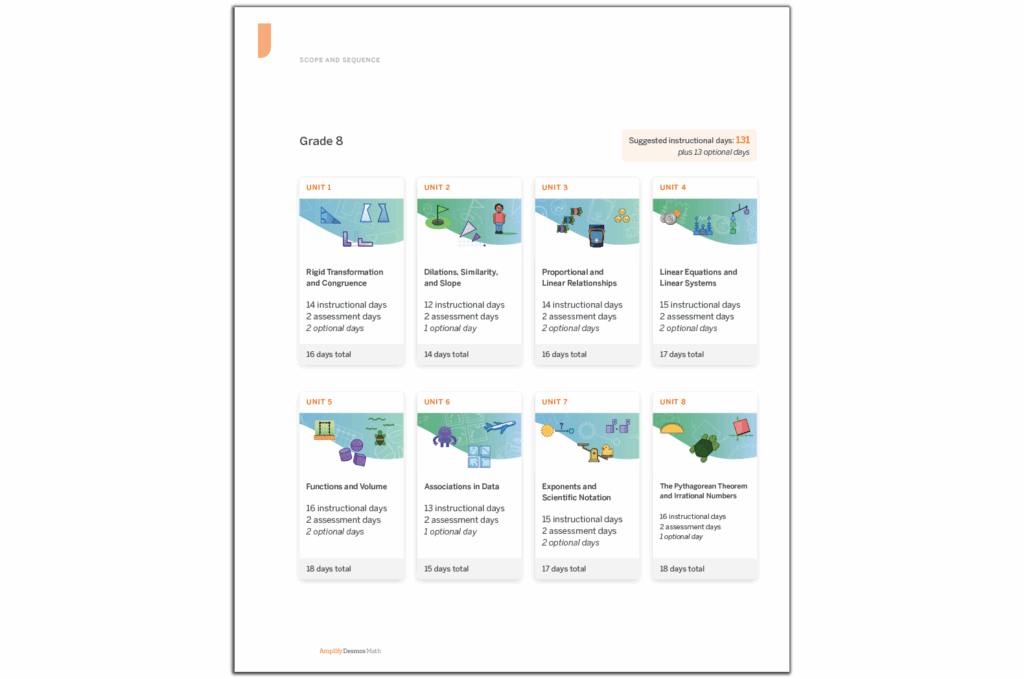
Grade 8 math curriculum chart featuring 9 units, such as Rigid Transformations and Congruence, with Suggested Instructional days. Each unit outlines instructional days, assessment days, and optional days—complemented by insights from Amplify Desmos Math to enhance your New York math learning experience.
Program structure

Get to know the content and structure of Grade 7 Amplify Desmos Math California.

Illustration of children engaging in learning activities outdoors near a large slide. The title "Amplify Desmos Math Grade 8 Teacher Edition" is shown at the top, highlighting its relevance to New York math curriculum standards.
Teacher Edition pages

Planning and instructional guidance is visual, organized, and easy-to-follow. To help you review the program, we have included samples from three sub-units on this site: Unit 1, Sub-Unit 1: Rigid Transformations; Unit 3, Sub-Unit 2: Linear Relationships; and Unit 6, Sub-Unit 2: Analyzing Numerical Data.

Image of a digital math activity titled "Line Capture #2" featuring a grid, equations, and instructions. A paper worksheet with graphs and a "Line Zapper" title is displayed alongside.
Digital experience

Explore our digital experience! Every lesson in Amplify Desmos Math California has student print materials and digital recommendations.

Cover of the "Amplify Desmos Math" Student Edition for Grade 8, featuring students engaging in various mathematical activities in a stylized outdoor New York setting.
Student Edition pages

Motivate students with mathematics that is both rigorous and delightful.
Cover of "Amplify Desmos Math Grade 8: Intervention and Extension Resources" featuring a stylized "I" on a gray background, tailored for New York math standards.
Intervention and Extension Resources

Additional resources to reinforce and extend key concepts, including Mini-Lessons and Extensions.
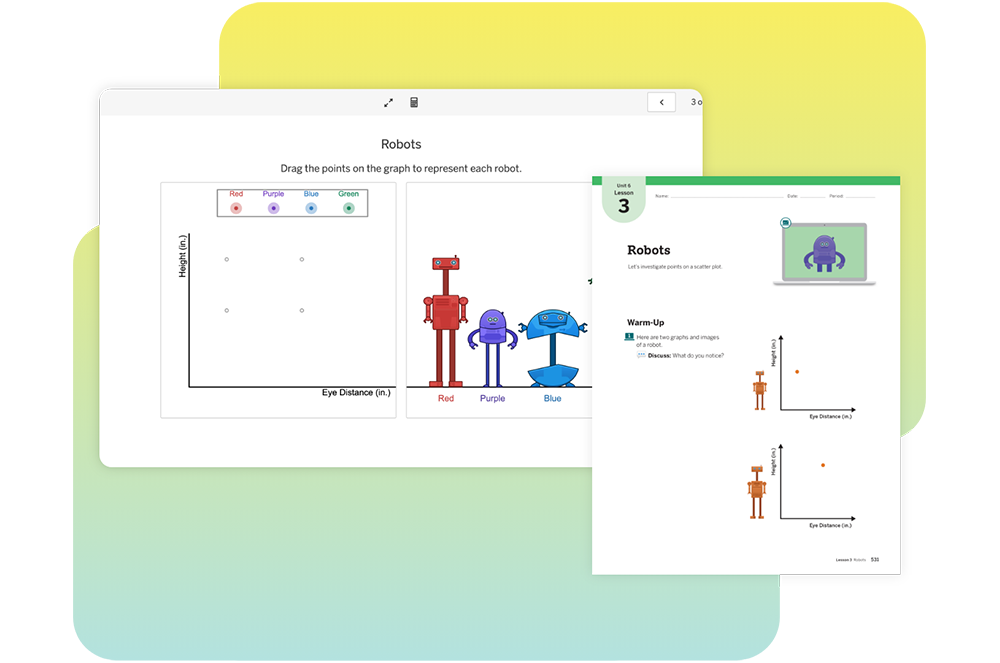
An educational worksheet on robots, featuring a graph with red, purple, and blue robot icons, and instructions for a warm-up activity.

Students connect points on a scatter plot with individuals in a population and rows of data in a table. The analysis of scatter plots continues with data about the eye distances and heights of robots.

A clear plastic storage box filled with educational math manipulatives, including colorful blocks, shapes, measuring tools, and counting cubes displayed outside the box.
Hands-on manipulative kit

An optional add-on to your Amplify Desmos Math California program, the manipulative kit provides hands-on learning tools designed to simplify and illustrate complex mathematical concepts.

A course outline for Algebra 1 with 8 units, each detailing the number of instructional and optional days. The total suggested instructional days are 144 and 28 optional days, aligning with New York Math standards.
Program structure

Get to know the content and structure of Algebra 1 Amplify Desmos Math California.

Cover of "Amplify Desmos Math: Algebra 1, Teacher Edition" featuring diverse characters engaged in mathematical activities, with a graph and a bridge in the background, illustrating the vibrant energy of New York math.
Teacher Edition pages

Planning and instructional guidance is visual, organized, and easy-to-follow. To help you review the program, we have included samples from two complete sub-units on this site: Unit 2, Sub-Units 1–2: One-Variable Equations and Multi-Variable Equations.
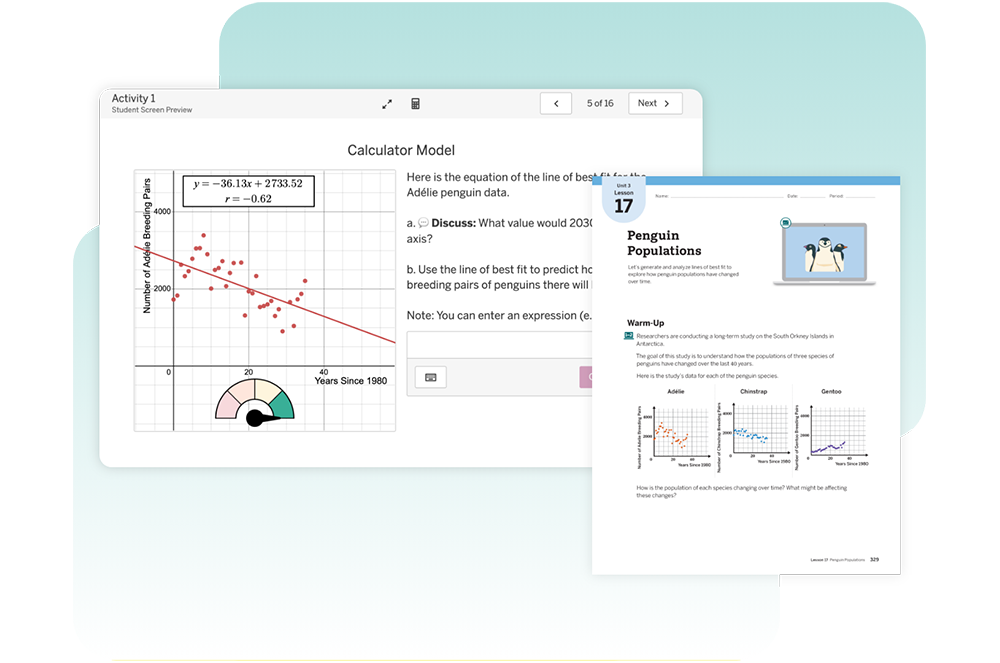
A digital educational interface shows a graph with data points and textual instructions comparing year and breeding pairs. Adjacent is a page discussing penguin populations with charts and illustrations.
Digital experience

Explore our digital experience! Every lesson in Amplify Desmos Math California has student print materials and digital recommendations.

Cover of "Amplify Desmos Math" Student Edition A1, featuring an illustration of diverse characters engaging in New York math activities against a backdrop of graphs and mathematical concepts.
Student Edition pages

Motivate students with mathematics that is both rigorous and delightful.

A digital math activity screen showing block arrangements and a worksheet page titled "Shelley the Snail" with related graphics.

Students represent the solutions of a situation using a table, a graph, and multiple forms of an equation to identify multiple combinations of blocks that can help Shelley the Snail cross a gap.

Contact us

For questions, samples, or more information, please contact your local Amplify Account Executive:

Erin King
Sales Director, CA
(512) 736-3162
eking@amplify.com

Northern CA
Wendy Garcia
Senior Account Executive
(510) 368-7666
wgarcia@amplify.com

Bay Area
Lance Burbank
Account Executive
(415) 830-5348
lburbank@amplify.com

Central Valley and Central Coast
Demitri Gonos
Senior Account Executive
(559) 355-3244
dgonos@amplify.com

Ventura and L.A. County
Jeff Sorenson
Associate Account Executive
(310) 902-1407
jsorenson@amplify.com

Orange and L.A. County
Lauren Sherman
Senior Account Executive
(949) 397-5766
lsherman@amplify.com

San Bernardino and L.A. County
Michael Gruber
Senior Account Executive
(951) 520-6542
migruber@amplify.com

Riverside and L.A. County
Brian Roy
Account Executive
(818) 967-1674
broy@amplify.com

San Diego County
Kirk Van Wagoner
Senior Account Executive
(760) 696-0709
kvanwagoner@amplify.com

Under 2300 students in Bay Area, Sacramento Valley, and Northern Counties
Kevin Mauser
Lead Account Executive
(815) 534-0148
kmauser@amplify.com

Under 2300 students in Southern CA, Central Coast, and Southern Central Valley Counties
Charissa Snyder
Account Executive
(720) 936-6802
chsnyder@amplify.com

Request additional samples.

Ready to learn more? Connect with an Amplify Desmos Math California expert to request additional program samples.

A curiosity-driven K–12 program that builds lifelong math proficiency

Amplify Desmos Math thoughtfully combines conceptual understanding, procedural fluency, and application. Each math lesson is designed to tell a story by posing problems that invite a variety of approaches before guiding students to synthesize their understanding of the learning goals.

What is Amplify Desmos Math?

Amplify Desmos Math supports teachers in building students’ lifelong math proficiency. The program:

  • Supports social classrooms, invites mathematical creativity, and evokes wonder, creating a welcoming learning space where students are empowered to see themselves and their classmates as having brilliant mathematical ideas.
  • Provides teachers with clear, step-by-step moves to build systematically from students’ prior knowledge to grade-level learning.
  • Connects students to each other’s thinking and to an understanding that they can use math to make sense of the world.
  • Enables access to grade-level understanding for every student, every day.

A powerful suite of math resources

Amplify Desmos Math combines the best of problem-based lessons, intervention, personalized practice, and assessments into a coherent and engaging experience for both students and teachers.

Data informs instruction. Comprehensive student profiles provide full data on students’ assets and skills, empowering teachers to provide just-in-time scaffolds throughout core instruction and targeted intervention when needed.

Educational software interface featuring a New York math problem about measuring platform heights using a 9-inch tube, illustrated with a playful, colorful design.

Experience Amplify Desmos Math

Click the links below to explore our interactive digital lessons, where you’ll also find print Teacher Edition and Student Edition pages for each lesson.

For helpful navigation tips and more program information, download our Grades K–5, Grades 6–Algebra 1, and Grades 9–12 program guides.

You can also watch a product expert walk through a lesson and the available program components with a lesson walkthrough video.

Diagnostic screening and progress monitoring assessments

Integrated mCLASS® Assessments go beyond accuracy to reveal students’ math thinking through an asset-based approach. This data provides better insights about what students know, what math assets to leverage, and where students need support.

A laptop displays a math problem with illustrated students and a virtual keyboard. Behind it, a chart shows percentages for a Math 2 Beginning-of-Year Screener assessment.

Personalized learning and support

Amplify Desmos Math includes digital, adaptive practice that provides the personalized support a student needs to access grade-level math every day. Boost Personalized Learning activities target a skill or concept aligned to the day’s core lesson, with each student receiving personalized scaffolds based on what they already know. This technology complements daily learning and provides another layer of support to the in-lesson differentiation and instructional guidance provided to teachers. Click here to try a Boost Personalized Learning activity. More activities coming soon!

The Fluency Practice of Amplify Desmos Math uses an evidence-based approach to memory retention—spaced repetition—for the basic operations. Students around the world have answered more than 120 million multiplication questions within our application. Try it now! 

Contact us

Support is always available. Our team is committed to helping you every step of the way. Contact your dedicated Indiana representative here for program access, samples, and additional information.

A woman with long brown hair and a white top smiles at the camera in front of an orange background, showcasing her passion for the Science of Reading and dedication to Indiana middle school education.

Elizabeth Sillies Callahan

Southern IN
(513) 407-5801

A woman with long brown hair and blue eyes smiles gently at the camera. The background is a light purple circle, reflecting her passion for the Science of Reading and dedication to Indiana middle school education.

Jody Kammer

Central IN
(310) 402-7837

Woman with long brown hair, large black glasses, and a nose ring, wearing a striped shirt and dark blazer, posing in front of a neutral background—professional style suited for the Indiana Department of Education.

Amanda Knipper

Northern IN
(260) 894-5123

A woman with wavy red hair and blue eyes, dressed in a purple turtleneck, smiles at the camera against a dark background—reflecting the approachable spirit of Indiana middle school teachers.

Paige Lawrence

District enrollment below 1200
(980) 421-2608

Amplify Desmos Math for NYC

Welcome! This site contains supporting resources for the New York City Department of Education Amplify Desmos Math adoption for grade 6–A1.

What’s new?

  • Prepare for 2025–26! Get everything you need to teach Amplify Demos Math with this checklist.
  • Use this guide to learn about the materials included through Core Curriculum purchases.
  • Need help? Check here for who can help! Our dedicated phone number, just for NYC, has team members ready to help! 1-888-960-0380
amplify math middle schoolers in classroom

About the program

Amplify Desmos Math New York is based on Illustrative Mathematics® IM K–12™ and expands on Desmos Math 6–8 (which received all-green ratings from EdReports) with beautiful print resources, and robust practice, differentiation supports, assessment and reporting. Read the review on EdReports.

Amplify Desmos Math provides:

  • Engaging, discourse-rich math lessons that are easier to teach.
  • Flexible, collaborative problem-solving experiences both online and off.
  • Real-time insights that make student thinking more transparent.

Program highlights to know about

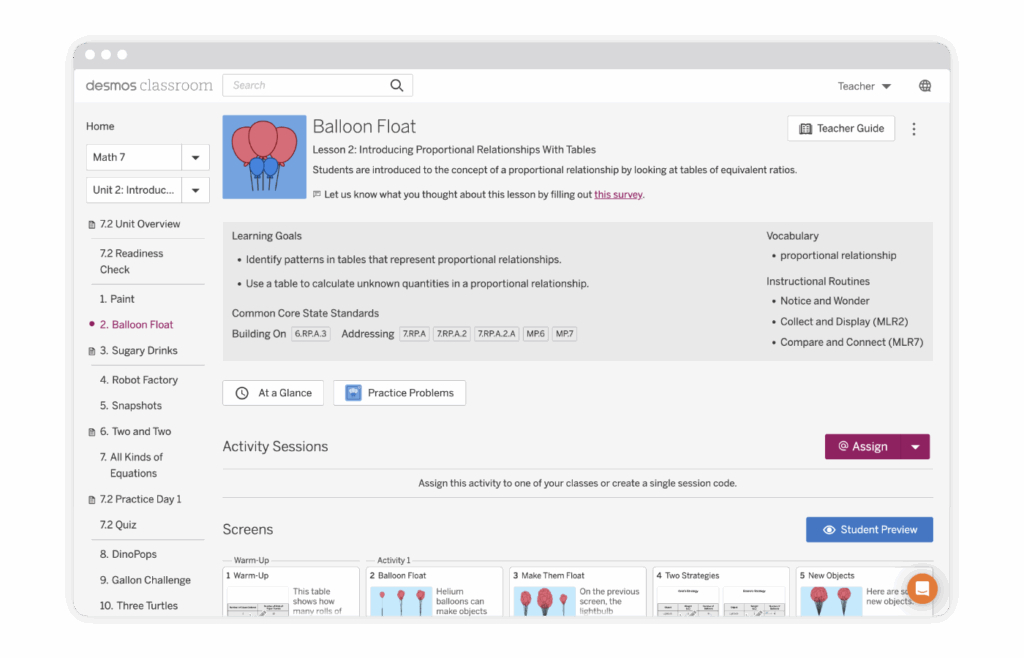
Screenshot of a Desmos Classroom lesson page titled "Balloon Float," showing lesson objectives, standards, vocabulary, and navigation menu on the left.

Desmos Classroom digital lessons

Digital lessons should be powerful in their ability to surface student thinking and spark interesting and productive discussions. We’ve joined forces with Desmos Classroom to bring this vision to life with a complete library of interactive, collaborative lessons.

Screenshot of an educational interface showing a turtle race with lanes labeled 1 to 4, a play button, timer, and a table for writing equations for each lane.

Engaging student experience

Relevant content and interactive math tools create an intuitive and engaging student experience. Plus, working together in real time allows students to see that communicating their ideas and learning from each other are important parts of math class.

A digital activity interface showing hexagonal mosaics, a "Scale Factor = 3" label, and students' text responses about scaling and color patterns in the mosaic shapes.

Visibility into student thinking

Imagine having more visibility into your students’ mathematical thinking. Now imagine that students have access to this same information. With our collaborative lesson interface and teacher dashboard, students have awareness their own thinking and that of their peers—exposing them to a wider variety of approaches to solving the same problem.

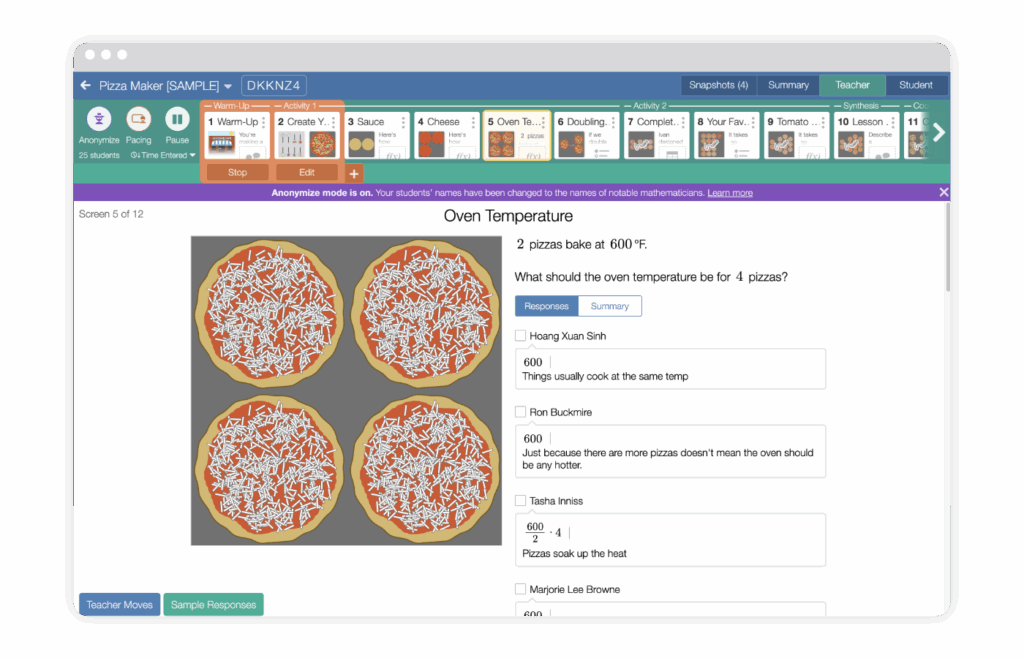
A computer screen displays a math lesson about baking pizzas at 600°F, showing four uncooked pizzas and student response boxes below the question.

Ready-to-teach lessons

Each grade level includes 150 ready-to-teach lessons, complete with slides, step-by-step teaching notes, suggested student and teacher responses, tips for incorporating instructional routines, support for developing mathematical language, and links to useful resources. Teachers can manage what slides students see, controlling the pace of the lesson to suit the needs of the class.

Planning for instruction

Amplify Desmos Math is customized specifically to meet the New York State Next Generation Math Learning Standards. Within each document below, you’ll find direct links to lessons and activities where each individual standard is addressed.

The program is also aligned with the expectations outlined in the New York City Department of Education Definition of Culturally Responsive-Sustaining Education and the New York State Culturally Responsive-Sustaining Education Framework. Download the CR-SE alignment.

Amplify Desmos Math Scope and Sequence

Amplify Desmos Math Accelerated Scope and Sequence

Ready to plan for the 2025-26 school year? These pacing guides are designed to provide structure, not rigid mandates and resources for NYC.     

Screenshot of the Desmos Classroom interface showing the sidebar menu with "Featured Collections" highlighted and math course options displayed at the top.

Experience Amplify Desmos Math New York

Explore our digital program to review content from all grades, 6–A1. Watch our quick walkthrough video for helpful navigation tips.

Try out Amplify Desmos Math by following these steps.

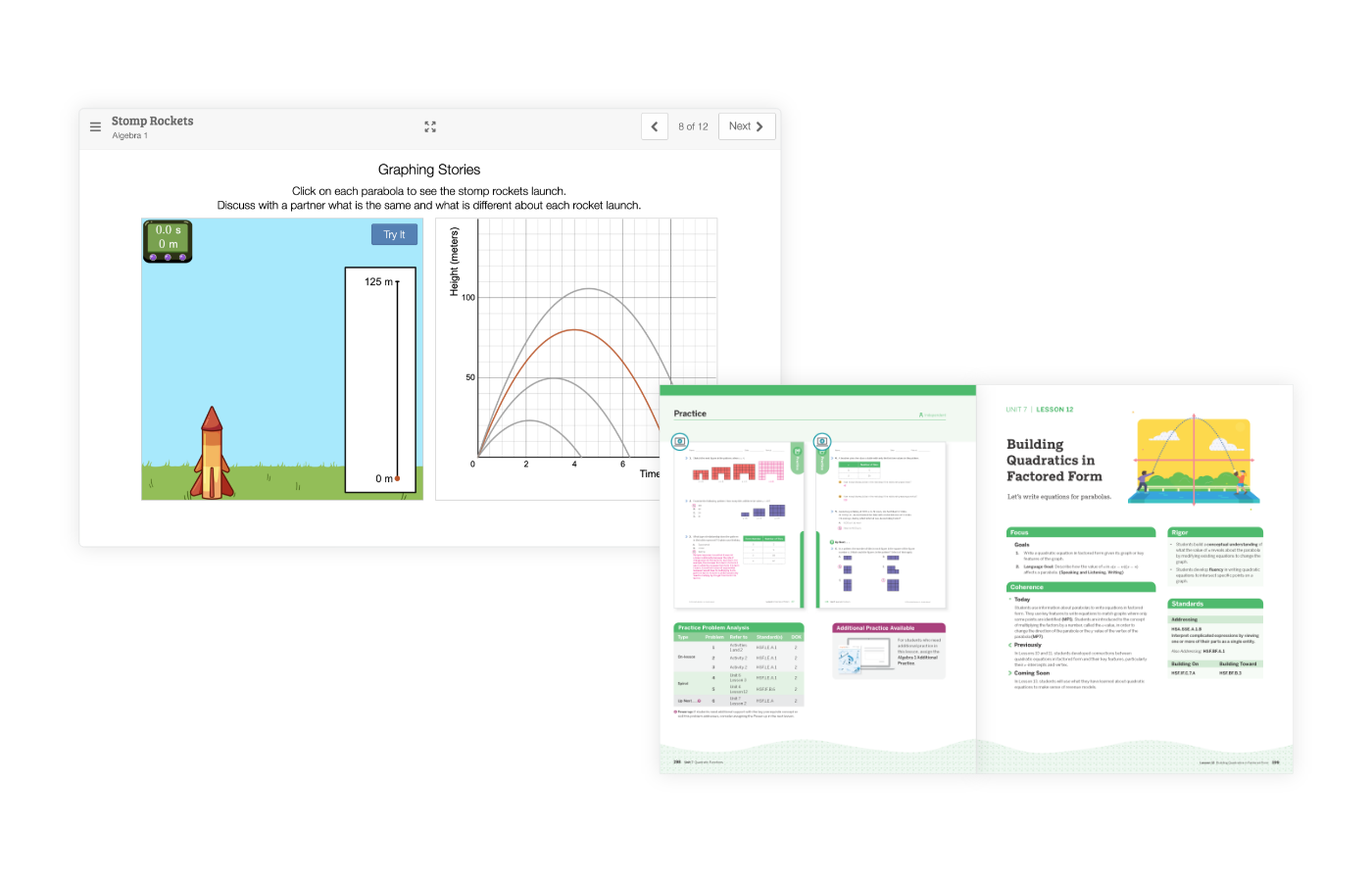
A digital screen displays a rocket graphing activity, and an open textbook shows diagrams, charts, and text on building quadratics in factored form.

Lesson Sampler

Amplify Desmos Math delivers the instructional power of student-centered learning packaged in a lesson format that’s teacher-friendly and manageable.

With easy-to-follow instructional support, implementing a problem-based program becomes more effective and enjoyable for both you and your students. Paired with the Desmos Classroom digital experience, math class is suddenly fun and dynamic, with plenty of opportunities for students to talk through their reasoning, work with their peers, and gain new understanding.

Three children and several penguins stand around a large thermometer on an icy landscape with mountains in the background. The cover is labeled "Grade 6 Sample lesson.

Grade 6 Lesson Sampler

learn more

Three people stand next to a large thermometer in a snowy landscape with mountains and penguins; cover page reads "Grade 7 Sample lesson" for Amplify Desmos Math.

Grade 7 Lesson Sampler

learn more

Three people and several penguins stand on ice near a large thermometer, with snowy mountains in the background. The thermometer shows temperatures from -30°C to 50°C.

Grade 8 Lesson Sampler

learn more

Additional features

Universal design

Every student is brilliant, and every student has brilliant mathematical ideas worth sharing and cultivating. Incorporating principles of Universal Design for Learning (UDL) into lessons brings students’ brilliance to the forefront. UDL is a research-based framework designed to ensure that all learners can access and participate in meaningful, challenging learning opportunities.

A feedback form with two questions, "How well did you understand the math in this lesson?" and "How did you feel about learning math in this lesson?" with corresponding emoji options for responses, perfectly complements the New York Math curriculum.

Diversity and representation

Helping students develop strong, healthy, and flexible math identities is a cornerstone of our program. Throughout the curriculum, students are taught that they themselves are mathematicians, that today’s math has been shaped by a diverse range of mathematicians who deserve to be celebrated, and that learning is never finished.

Illustration of a laptop displaying various colorful icons and graphics representing diverse professions and historical figures on its screen, emphasizing illustrative mathematics and desmos math concepts through its displayed content.

Assessments

Less exciting, but essential for learning: assessments. Amplify Desmos Math features a robust variety of formative and summative assessments, including readiness checks, exit tickets, quizzes, end-of-unit tests, and benchmarks aligned with New York State Next Generation Mathematics Learning Standards.

Illustration of a laptop displaying various colorful icons and graphics representing diverse professions and historical figures on its screen, emphasizing illustrative mathematics and desmos math concepts through its displayed content.

Reporting

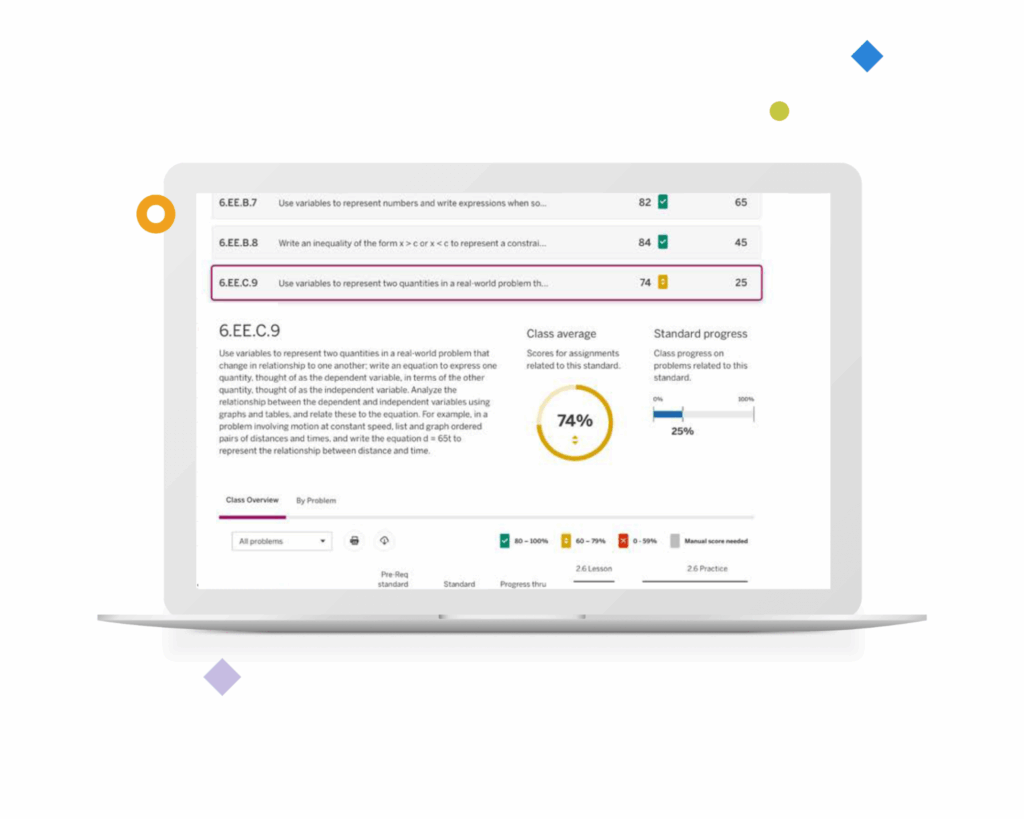
Not only do our reports reveal progress toward standard mastery, but they also include details on how students performed against the standard in the past and how many encounters are yet to come. This feature alone helps teachers prioritize instruction and intervene with additional resources when necessary.

A computer screen displays a New York math skills tracking interface, highlighting standard 6.EE.C.9, with progress indicators and a class average score of 74% shown in a yellow pie chart.

NYC webinar series

Figuring out how to implement a problem-based learning approach to mathematics can be fun—and challenging. Rest assured that you won’t be alone on this journey; Amplify will be by your side every step of the way. Our back-to-school math webinar series for K–8 administrators and teachers:

  • Introduces the new NYC Solves initiative.
  • Establishes the foundation for all educators to effectively understand and implement the NYCPS Shifts in Mathematics in their classrooms.
  • Provides an overview of Amplify Desmos Math, the pre-approved NYCPS curriculum chosen to ensure that every school can successfully implement these math shifts and is supported with high-level, tailored professional development and coaching throughout the process.

Please see the specific webinars and the recordings below to learn more!

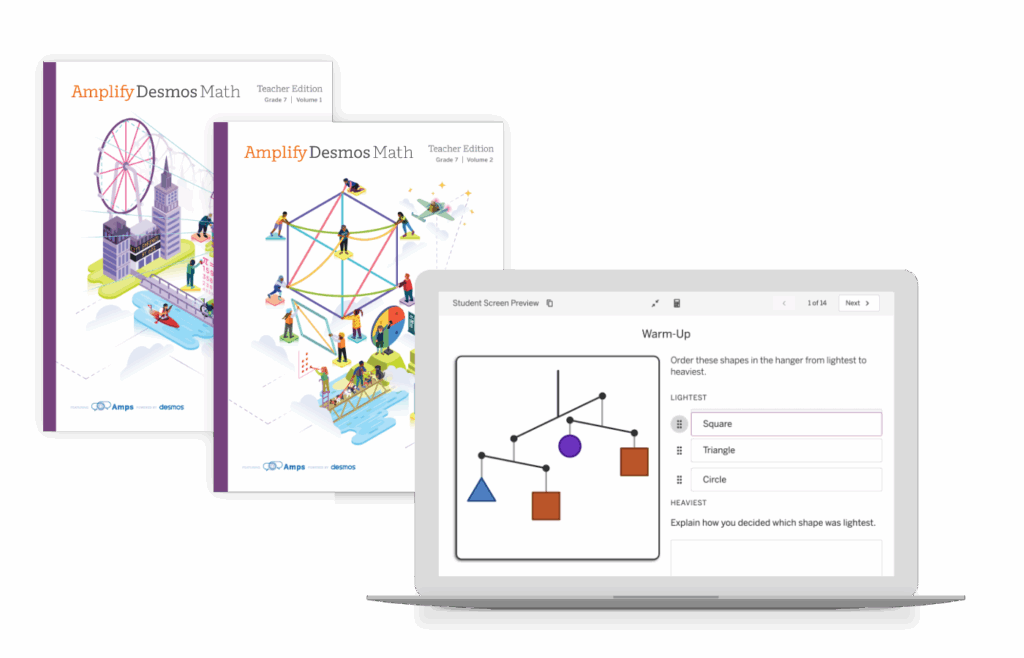
Two Amplify Desmos Math teacher edition books are shown next to a laptop displaying a digital math activity with shapes and a prompt about ordering by lightest weight.

On-demand webinar 1

Would you like to learn more about the NYCPS Shifts in Mathematics and enhance your understanding of each of the five shifts?

Explore how the NYCPS math shifts are transforming mathematics education from a procedural approach to a more engaging, discoverable, and connected learning experience.

Listen to the Understanding the NYCPS Shifts in Mathematics session recording.

On-demand webinar 2

Let’s unpack the why, what, and how to unlock every student’s mathematical mind and build math proficiency for life! In this webinar, we discuss the power of teaching our children to be skilled mathematicians through a structured approach to problem-solving.

Listen to the Unlocking Mathematical Minds: A Structured Approach to Problem-Based Learning session recording.

On-demand webinar 3

For some educators, transitioning to problem-based learning might seem daunting. There’s often concern that the open-ended nature of the approach could derail students from achieving mathematical goals. However, by finding the right balance between open-ended opportunities and structured classroom activities, teachers can encourage students to share their thinking while meeting key learning targets. Uncover simple shifts that educators can implement to foster the perfect balance of open-ended student thinking and focus on mathematical instructional goals.

Listen to the Making the Shift to Problem-Based Learning session recording.

On-demand webinar 4

Amplify Desmos Math New York K–A1 is math that motivates! During this session recording, you’ll experience a grade 6 lesson that captures the essence of NYC Solves.

Listen to the Learn More and Experience Amplify Desmos Math LIVE, an NYCPS-Approved Math Curriculum session recording.

Looking for help?

Support is always within reach. Our team is dedicated to supporting you throughout your review. You can be reached at any time by emailing or calling us directly.

  • Support pathways for NYC Core Orders
  • Chat: Click the orange icon while logged in to get immediate help.
  • Support Portal: Fill out this form, and we will get back to you as soon as possible.
  • Phone: Call our toll-free NYC Support number: (888) 960-0380.
  • Email: Send an email to AmplifyNYC@amplify.com.
A computer screen displaying an educational platform with various course thumbnails including science and art topics.

Welcome to Amplify Desmos Math!

To view this protected page, enter the password below:


K–5 personalized reading curriculum to accelerate literacy growth in your classroom

Boost Reading Texas helps K–5 educators meet the needs of every reader with personalized literacy instruction based in the Science of Teaching Reading. Our efficacy data, measured by DIBELS® 8th Edition, shows that Boost Reading helped 26% more students reach benchmark than those not using the program. This Amplify reading curriculum fits into any learning model and provides actionable growth insights along the way.

A young girl wearing headphones uses a laptop. Illustrated trees, clouds, and a bird are in the background. Informational badges about reading science and evidence levels are displayed.

Evidence-based personalized instruction

Boost Reading Texas is a student-led supplemental reading curriculum that provides additional time to support other students. It reinforces instruction across all tiers through true differentiation of skill development. It’s your digital assistant in literacy instruction—extending core instruction, addressing remediation needs, and constantly adapting activities to help every reader flourish.

“Your team has taken a weight off my shoulders and I am so grateful and can’t thank you enough! My biggest concern during this time was how can I keep pushing my readers at their level—and giving them what they need—and Boost Reading solved that.”

Jeanine

2nd-grade teacher, Chicago, IL

“My students love the program, and they don’t even realize they are learning some tough concepts. Their reading scores are improving even since the beginning of the year.”

Amber

Junior High ELA teacher, California

“This program is extremely engaging and interactive for each student. They begged to get on Boost Reading and they cried when it was time to log off! This program is a great addition to our curriculum.”

Brittany

2nd grade teacher, Utah

Our approach

Proven efficacy

Did you know that you can supercharge reading growth with Boost Reading Texas? Texas students using Boost Reading Texas are showing phenomenal growth…and we have the data to prove it!

Bar chart compares percentage growth above or well above average from BOY to MOY across grades K–5 between students who used and did not use Amplify Reading.
Three labeled graphics with Texas icons read: "Amplify ELAR TEXAS," "Boost Reading TEXAS," and "mCLASS TEXAS," each in black and orange text.

Instructional cohesion across all tiers

Amplify’s comprehensive early literacy suite—comprising Amplify ELAR Texas core instructionmCLASS Texas assessment and intervention, and Boost Reading Texas personalized practice—provides seamless alignment and a strong Science of Teaching Reading foundation for a Multi-Tiered System of Supports within your classroom. For Amplify ELAR Texas students who start the year below benchmark reading levels, Boost Reading Texas increases the likelihood of meeting benchmark by 34% by end of year, compared to non-Boost Reading users.

Targeted, systematic reading practice for all

The highly adaptive technology creates individual skill maps for each student—whether they’re reading below, at, or above grade level—providing simultaneous remediation and advancement in different skill domains. The program is an effective component of your classroom’s remediation and intervention solutions, with explicit instruction for all students, including those with dyslexia or in special education classes.

A graphic showing the adaptivity of Boost Reading.
Cartoon dog in a soccer outfit kicks a soccer ball labeled "ma" toward a goal, with speech bubbles saying "¡Hola!" and "Hello!" and a note about the Science of Teaching Reading.

Closing the gap for K–5 multilingual/English learners

Boost Reading Texas’ Spanish literacy partner, Boost Lectura Texas, supports multilingual/English learners (ML/ELs) learning to read in their native language. When used together, the two programs drive literacy growth in English and Spanish and provide teachers with side-by-side reporting on skills progression in both languages.

guide icon

Boost Reading efficacy study

Accelerating literacy growth

Download now

What’s included

A diagram showing strategies for teaching phonemic awareness, with photos of two children and labeled methods such as "Blend onset rime," "Isolate sounds," and "Segment phonemes.

Next-generation technology

Boost Reading Texas is constantly adapting to tailor instruction and scaffold foundational skills for students, building proficiency one engaging activity at a time. Students will never get stuck in static practice activities.

Comprehensive skill coverage

The scope and sequence is based on the Science of Teaching Reading and includes explicit instruction in phonics, phonological awareness, comprehension, vocabulary, and all skills critical to fluent and confident reading.

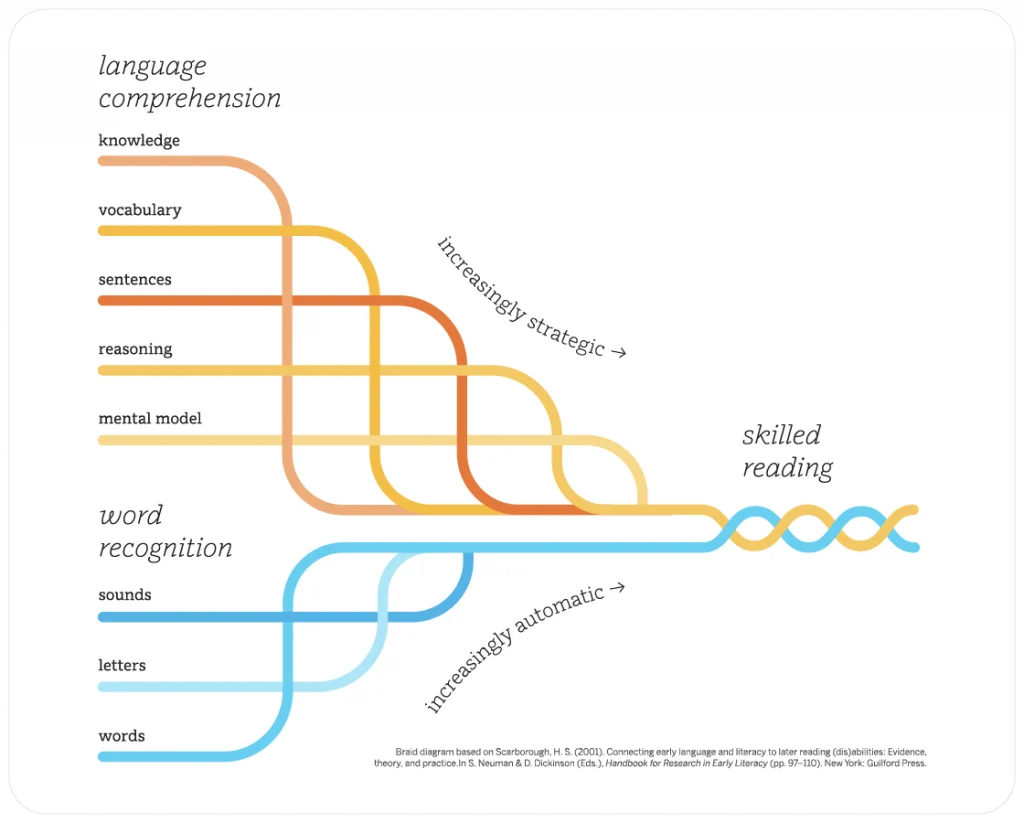
Diagram illustrating the interplay between language comprehension and word recognition in reading, as seen in early literacy stages. It highlights pathways through knowledge, vocabulary, and sentence understanding, reflecting principles from the CKLA reading program.
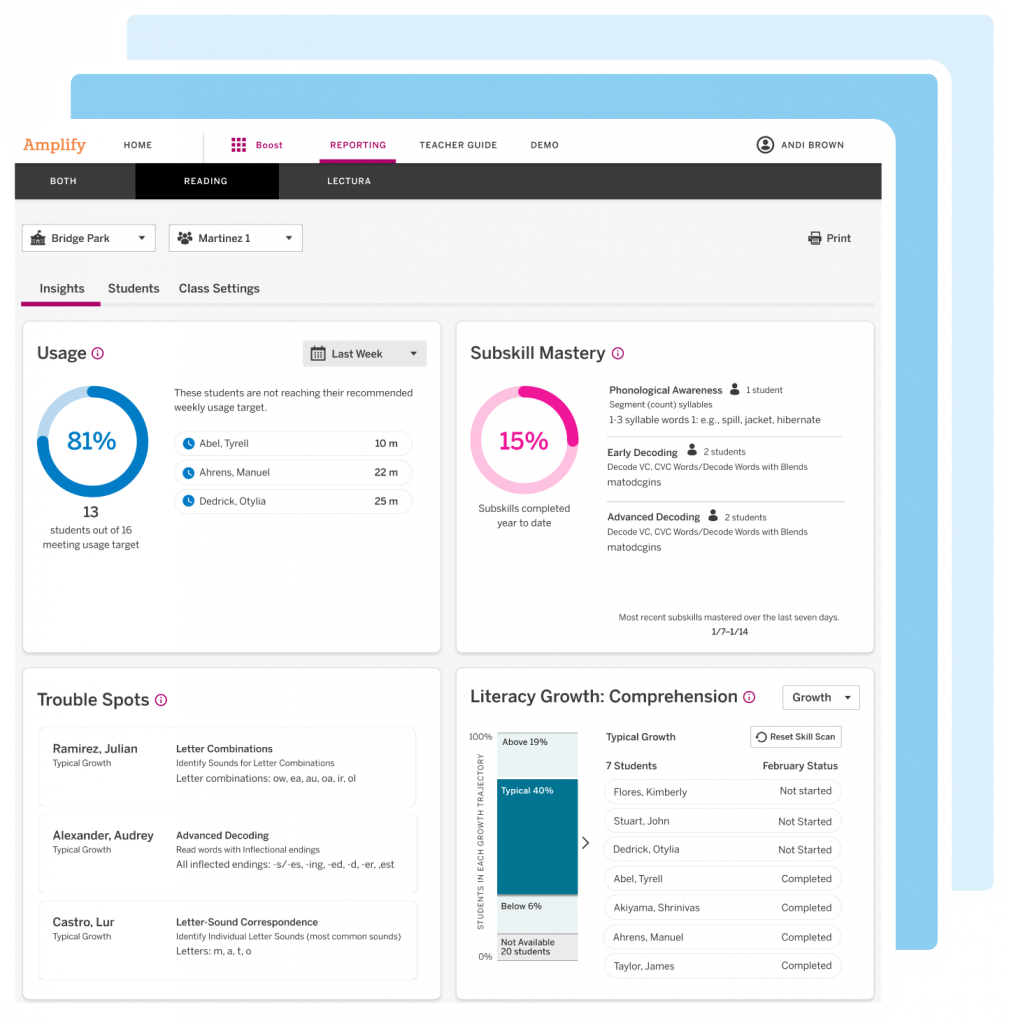
Screenshot of a student performance dashboard featuring benchmark data, reading proficiency, assessment status, and a graph of decoding skills progress over time—ideal for tracking growth with a K–5 personalized reading curriculum.

Benchmark and growth assessments

Built-in benchmark assessments measure student proficiency at beginning-, middle-, and end-of-year, and Curioso Skill Scans measure monthly growth in students using the program without interrupting engagement.

Easy-to-use growth and proficiency reports

Embedded assessments give teachers actionable insights into students’ reading journeys. Visibility into performance gives teachers peace of mind that students are making meaningful progress in their literacy development.

Boost Reading Teacher Dashboard image shows reporting on student performance from many angles.
A dashboard displays usage data for Reading K–5 Reports, showing a line graph of active users per month under the "Admin Reports Demo District" header.

Administrator and caregiver reports

Administrators and caregivers are welcomed into the student reading journey with data on program usage, reading progress, and skill mastery.

Research-based activities to reinforce skills

Boost Reading Texas alerts educators to trouble spots students encounter in their skill development and offers additional K–5 literacy resources and lessons for teachers to address and fortify reading skills.

Digital interface of a supplemental reading curriculum displaying a student's "trouble spots" in learning, highlighting areas needing focus on "key ideas & details" with activities suggested.
Tech & Learning Awards of Excellence 2023 Back to School badge for Primary Education Winner.

Boost Reading is a proud winner of the Tech & Learning Awards of Excellence: Best for Back to School 2023.

Learn more

Explore more programs based on the Science of Teaching Reading.

Learn more about our related Texas programs at texas.amplify.com.

Grade K

Unit 1: Count Sequence and Numbers to 5

Module 1: Represent Numbers to 5 with Objects

Lesson 1: Represent 1 and 2Connecting Cubes
Lesson 2: Represent 3 and 4Skye’s Style
Matching Groups
Designing Shoes With Skye

Unit 2: Count Sequence and Numbers to 10

Module 7: Represent Numbers 6 to 10 with Objects

Module 10: Compare Numbers to 10

Lesson 4: Compare Groups Within 10 by CountingMore, Fewer, or the Same
Fingers and Counters
Lesson 5: Compare Groups Within 10 by MatchingComparing Words
Forest Friends

Module 11: Add To and Take From Within 10

Module 12: Put Together and Take Apart Within 10

Lesson 3: Solve Put Together Problems Within 10How Many Objects in Pictures?
How Will You Count?
What Does It Mean to Add?
Lesson 4: Solve Take Apart Problems Within 10What Does It Mean to Subtract?
Lesson 5: Solve Word Problems Within 10The Bus Depot

Module 13: Ways to Make Numbers to 10

Lesson 4: Ways to Make 10Harry’s Hamster Wheel
Harry Explores Space
Lesson 5: Make 10 From a Given NumberShowing What We Know About 10
Lesson 1: Ways to Make 6 and 7Harry Explores the Ocean

Unit 3: Geometry

Module 14: Analyze and Compare Three-Dimensional Shapes

Module OpenerWhat’s That Shape?
Lesson 5: Build ShapesBuilding Solid Shapes

Module 15: Describe Position of Objects

Module 16: Analyze and Compare Two-Dimensional Shapes

Lesson 7: Compare Two-Dimensional and Three-Dimensional ShapesSo Much Sorting
What’s That Shape Called?
Another Shape

Unit 4: Number and Operations in Base Ten

Module 17: Place Value Foundations-Represent Numbers to 20

Lesson 3: Compose Ten Ones and Some More Ones to 19Investigate: Packing Snacks
Lesson 4: Represent Numbers to 20Getting Ready for the Game
How Many on the Field?
Pass, Shoot, Score

Module 18: Place Value Foundations-Represent Number to 20 with a Written Numeral

Lesson 1: Count and Write 11 to 14Jersey Jam!
Lesson 3: Count and Write 16-19People at the Park

Grade 1

Unit 1: Ways to Add and Subtract

Module 2: Subtraction Strategies

Lesson 2.1: Represent SubtractionPacking a Picnic
Lesson 2.2: Count BackWhat’s the Difference?
Lesson 2.3: Count on to SubtractLeaping Lily Pads!

Module 3: Properties of Operations

Lesson 3.6: Determin Equatl and Not EqualReplanting Huli

Module 4: Apply Addition and Subtraction Relationships

Lesson 4.2: Represent Related FactsSame Number, Different Ways
Lesson 4.3: Identify Related FactsKitten Coaster
Lesson 4.6: Solve for Unknow AddendTutu’s Garden in Maui

Module 5: Understand Add to and Take From Problems

Lesson 5.4: Solve Add To and Take From ProblemsA Community Working Together
Helping Others
Making 10

Module 6: Understand Put Together and Take Apart Problems

Lesson 6.3: Represent Addend and Unknown Problems with Objects and DrawingInvestigate: Let’s Grow!

Module 8: Data

Lesson: 8.2 Represent Data with Picture GraphsShapes Ying Saw

Unit 3: Numbers to 120

Module 10: Count and Represent Numbers

Lesson 10.4: Decompose Numbers in Different WaysInvestigate: Game Points
Lesson 10.5: Represent, Read, and Write Numbers from 100 to 110From Head to Claw
From Wing Tip to Wing Tip
Measuring More Wingspans
Lesson 10.5: Represent, Read, and Write Numbers from 110 to 120From Head to Claw
From Wing Tip to Wing Tip
Measuring More Wingspans

Unit 4: Addition and Subtractoin in Base Ten

Module 12: Understand Addition and Subtraction with Tens and Ones

Lesson 12.1: Representing Adding TensMeeting Yara
It’s a Match
From Park to Table
Lesson 12.3: Add and Subtract TensHow Many Cubes?
Boris’s Thimbles
How Many Tens?

Module 13: Two-Digita Addition and Subtraction

Lesson 13.1: Use Hundred Charts to Show Two-Digit Addtion and Subtraction.Investigate: Squashes at the Playground
Lesson 13.2: Understand and Explain Place Value AdditionTown Helpers
Making Squash Butter

Unit 6: Measurment

Module 16: Fraction Foundations

Lesson 16.1: TAke Apart Two-Dimensional ShapesFair and Square
Lesson 16.2: Identify Equal or Unequal PartsOne of the Parts, All of the Parts
Lesson 16.4: Partition Shapes into FourthsA Bigger Part

Grade 2

Unit 1: Numbers and Data

Module 1: Fluency for Addition and Subtraction Within 20

Lesson 1.5: Use the Make a Ten Strategy to AddExploring Within 10
Ways to Make 10

Module 1: Fluency for Addition and Subtraction Within 21

Lesson 1.6: Use a Tens Fact to SubtractExploring Within 10
Ways to Make 10

Module 2: Equal Groups

Lesson 2.1: Identify Even and Odd NumbersCan You Share?
Is It Even or Odd?
Lesson 2.2: Write Equations to Represent Even NumbersEverybody, Find A Partner!

Module 3: Data

Lesson 3.5: Draw bar graphs to Represent DataAwesome Aquariums

Unit 2: Place Value

Module 4: Understand Place Value

Lesson 4.1: Group Tens as HundredsWhat Makes a Hundred?
Lesson 4.2: Understand Three-Digit NumbersWhat’s the Value?
Lesson 4.4: Represent Numbers with Hundreds, Tens, and OnesMail Call!
What’s Your Name?

Module 5: Read, Write, and Show Numbers to 1000

Lesson 5.3: Different Ways to Write NumbersA New Representation
Lesson 5.4: Different Ways to Show NumbersAll the Ways!

Module 6: Use Place Value

Lesson 6.1: Count Within 1000Investigate
Turtle Hurdle
Lesson 6.5: Use Symbols to Compare NumbersTime to Line Up!

Unit 3: Money and Time

Module 7: Coins

Lesson 7.1: Relate Place Value to CoinsInvestigate
Lesson 7.2 Identify and Find Value of CoinsDiscovering Coins (Part 1)
Lesson 7.3: Compute the Value of Coin CombinationsHow Much Money?
Lesson 7.4: Show Amounts in Different WaysDiscovering Coins (Part 2)
The Toy Stand

Module 8: Dollar Amounts

Lesson 8.3: Solve Problems Involving MoneyThe Craft Stand at the Block Party

Unit 5: Three-Digita Addition and Subtraction

Module 16: Three-Digit Addition

Lesson 16.1: Use Drawing to Represent Three-Digit AdditionThere’s Something About Berries
Lesson 16.2: Decomposte Three-Digit AddendsBaking With Skunk

Unit 6: Measurement

Module 18: Lengths in Inches, Feet, and Yards

Lesson 18.4: Make Line Ploits to Show Measurement DataMessy Measurements
Bracelets and Wristbands

Module 20: Relate Addition and Subtraction to Length

Lesson 20.1: Relate Inches to a Number LineInvestigate
Time to Line Up!
What’s That Number?
Lesson 20.2: Add and Subtract Lengths in InchesLengths of Jungle Animals
Lesson 20.3: Relate Centimeters to a Number LineInvestigate
Time to Line Up!
In Full Bloom

Unit 7: Geometry and Fractions

Module 21: Two- and Three- Dimensional Shapes

Lesson 21.2 Identify and Draw Three-Dimensional ShapesMore to Measure
Lesson 21.2: Identify and Draw Two-Dimensional ShapesFrame It!
Measure It, Draw It

Grade 3

Unit 1: Understand Multiplication and Area

Module 1: Understand Multiplication

Lesson 1.1: Count Equal GroupsEqual Groups
Lesson 1.3: Represent Multiplication with ArraysArrays of Flavor
Lesson 1.4: Understand the Commutative Property of MultiplicationArrays of Flavor

Module 2: Relate Multiplication and Area

Lesson 2.1 Understand Area by Counting Unit SquareInvestigate: Comparing Rugs
Which Covers More Space?
Lesson 2.2: Measuring Area by Counting Unit SquaresTiling Figures
Area Hunt
Lesson 2.3: Relate Area to Addition and MultiplicationRectangles and Arrays

Unit 2: Multiplication and Division

Module 7: Relate Multiplication and Division

Lesson 7.7: Build Fluency with Multiplication and DivisionRelating Quotients to Familiar Products

Module 8: Apply Multiplication and Division

Lesson 8.3: Use Multiplication and Division to Solve Problem SituationsIt’s Chili in Here!
Lesson 8.4: Solve Two-Step ProblemsDivision and Multiplication Equations

Unit 3: Addition and Subtraction Strategies

Module 9: Addition and Subtraction Strategies

Lesson 9.3: Use Properties to AddHow Would You Solve It?
Lesson 9.4: Use Mental Math to Assess ReasonablenessAdding Strategically

Module 10: Addition and Subtraction Within 1000

Lesson 10.1: Use Expanded Form to AddWhat Is an Algorithm?
Lesson 10.2: Use Place Value to AddAdding Your Way
Using Fewer Digits
Lesson 10.5: Choose a Strategy to Add or SubtractDetermining Sums of 2 or More Addends

Unit 4: Fractions

Module 13: Understand Fractions as Numbers

Lesson 13.4: Represent and Name Fractions on a Number LineFractions on the Number Line
Lesson 13.5: Express Whole Numbers as FractionsCat Crossing
Lesson 13.6: Represent and Name Fractions Greater Than 1Location, Location, Location

Unit 5: Measurement and Data

Module 18: Represent and Interpret Data

Lesson 18.4: Make a Bar GraphPuppy Pile
2, 5, or 10?
Egg-cellent Pick
Lesson 18.5: Use Line Plots to Display Measurement DataHow Long Is It?
More Precise Measurements
Same Lengths, Different Names
Lesson 18.6: Make Line Plots to Display Measurement DataThe Plot Chickens
Let’s Make a Line Plot

Unit 6: Geometry

Module 19: Define Two-Dimensional Shapes

Lesson 19.1: Describe ShapesPiho’s Shapes
Lesson 19.4: Define QuadrilateralsRectangles, Squares, and Rhombuses

Module 20: Categorize Two-Dimensional Shapes

Lesson 20.1: Draw QuadrilateralsMore Quadrilaterals

Grade 4

Unit 1: Place Value and Whole Number Operations

Module 3: Interpret and Solve Problem Situations

Lesson 3.1: Explore Multiplicative ComparisonsSticker Mania
Lesson 3.4: Use Comparison to Solve Problem SituationsRepresenting “Times as Many”
Going Swimming

Unit 2: Multiplication and Division Problems

Module 4: Mental Math and Estimation Strategies

Lesson 4.3: Estimate Products by 1-Digit NumbersA Reasonable Answer

Module 5: Multiply by 1-Digit Numbers

Lesson 5.1: Represent MultiplicationInvestigate: Packing Lei
Lesson 5.2: Use Area Models and the Distributive Property to MultiplyCounting Flowers for Lei
Lesson 5.4: Multiplying Using Partial ProductsThree of a Kind
Lesson 5.6: Multiplying 3-Digit and 4-Digit NumbersA Lei Making Workshop

Unit 3: Extend and Apply Multiplication

Module 8: Extend and Apply Multiplication

Lesson 8.1: Multiply with TensGrowing Flowers for the Lei
Lesson 8.3: Relate Area Model and Partial ProductsDouble Decomposition
Lesson 8.4: Multiplying Using Partial ProductsRevisiting Strategies
Lesson 8.7: Solve Multi-step Problems and Assess ReasonablenessHow Many Supplies?

Unit 4: Fractions and Decimals

Module 10: Algebraic Thinking and Number Theory

Lesson 10.1: Investigate FactorsHamster Homes
Lesson 10.2: Identify FactorsFactor or Multiple?
Lesson 10.4: Identify Prime and Composite NumbersA Number Game
Lesson 10.5 Generate and Analyze Number PatternsHow Does It Grow?

Module 11: Fraction Equivalence and Comparison

Lesson 11.1: Compare Fractions Using Viaula ModelsInvestigate: Building Your Own Number Line
Lesson 11.2: Compare Fractions Using BenchmarksFraction Strips
Lesson 11.6: Compare Fractions Using Common DenominatorsChop It
Lesson 11.7: Use Comparison to Order FractionsAll Kinds of Fractions

Module 12: Relate Fractions and Decimals

Lesson 12.1: Represent Tenths as Fractions and DecimalsA New Way to Write Tenths
Lesson 12.2 Represent Hundredths as Fractions and DecimalsA New Way to Write Hundredths
Lesson 12.3: Identify Equivalent Fractions and DecimalsAre They Equivalent?
Lesson 12.4: Compare DecimalsHow Can You Compare?
Robot Factory
What’s the Order

Module 13: Use Fractions to Understand Angles

Lesson 13.2: Explore AnglesAngle Adventures
Lesson 13.3: Relate Angles to Fraction Part of a CircleThe Spin on Angles
Lesson 13.6: Join and Separate AnglesAngles in Motion

Module 14: Understand Addition and Subtraction of Fractions with Like Denominators

Lesson 14.2: Joining Parts of the Same WholePizza Problems

Module 15: Add and Subtract Fractions and Mixed Numbers with Like Denominators

Lesson 15.1: Add and Subtract Fractions to Solve ProblemsMath Pizzeria

Unit 6: Two-Dimensional Figures and Symmetry

Module 18: Symmetry and Patterns

Lesson 18.3: Generate and Identify Shape PattersHow Does It Grow?

Grade 5

Unit 1: Whole Numbers, Expressions, and Volume

Module 1: Whole Number Place Value and Multiplication

Lesson 1.3: Use a Pattern to Multiply by Multiplies of 10, 100, and 1000Partial Products Everywhere
Monarch Butterflies
All About That Base
Lesson 1.5: Multiply Multi-Digit NumbersHow Do They Compare?

Module 2: Understand Division of Whole Numbers

Lesson 2.4: Use Partial QuotientsEmptying the Water Tank

Module 5: Volume

Lesson 5.2: Understand VolumeWhich is Largest
Lesson 5.3: Estimate VolumePacking the Barge
Lesson 5.6: Find Volume of Composed FiguresPutting it Together
Figures Made of Prisms

Unit 3: Multiplying Fractions and Mixed Numbers

Module 8: Understand Multiplication of Fractions

Lesson 8.1: Explore Groups of Equal Shares to Show MultiplicationInvestigate: Sharing Sandwiches
Investigate: Folding Paper
Lesson 8.2: Represent Multiplication of Whole Numbers by FractionsSharing More Sandwiches
Lesson 8.3: Represent Multiplication with Unit FractionOne Part of One Part
Lesson 8.4: Represent Multiplication of FractionsDance Breaks
Parts of Parts
Making Food
Lesson 8.5: Use Representations of Area to Develop ProceduresOne Part of One Part
Installing Turf
Rows and Columns
Lesson 8.6: Interpret Fraction Multiplication as ScalingChores at Animal Haven
The Re-size-inator
Lesson 8.7: Multiplying FractionsMessy Multiplication

Module 9: Understand and Apply Multiplication of Mixed Numbers

Lesson 9.3: Practice Multiplication with Fractions and Mixed NumbersMessy Multiplication
Applying Fraction Multiplication

Unit 4: Divide Fractions and Convert Customary Units

Module 10: Understand Division with Whole Numbers and Unit Fractions

Lesson 10.1: Interpret a Fraction as DivisionDivision Story Problems
Making Generalizations

Unit 5: Add and Subtract Decimals

Module 13: Decimal Place Value

Lesson 13.1: Understand ThousandthsWhat Is One Thousandth?
Lesson 13.2: Read and Write Decimals to ThousandthsSay What?
Lesson 13.3: Round DecimalsWhich Way Down the Mountain?
Rounding Races
Lesson 13.4: Compare and Order DecimalsInvestigate: Numbers Between Numbers
The Claw
Selling Collectibles

Unit 6: Multiply Decimals

Module 15: Multiply Decimals and Whole Numbers

Lesson 15.1: Understand Decimal Multiplication PatternsPlace Value Patterns
Powers of 10 Parade

Unit 7: Divide Decimals and Convert Customary Units

Module 17: Understand Decimal Division Patterns

Lesson 17.1: Understand Decimal Division PatternsPowers of 10 Parade

Unit 8: Graphs, Patterns, and Geometry

Module 19: Graphs and Patterns

Lesson 19.1: Describe a Coordinate SystemCreating a Coordinate System
Lesson 19.2: Understand Ordered PairsBullseye!
Lesson19.4: Generate and Identify Numerical PattermsCoordinating Satellite Repairs

Grade 6

Unit 1: Number Systems and Operations

Module 1: Integer Concepts

Lesson 1: Identify and Interpret IntegersCan You Dig It?
Lesson 2: Compare and Order Integers on a Number LineOrder in the Class

Module 3: Fraction Division

Lesson 1: Understand Fraction DivisionFlour Planner
Fill the Gap

Module 4: Fluency with Multi-Digit Decimal Operations

Lesson 1: Add and Subtract Multi-Digit DecimalsDishing Out Decimals
Decimal Diagrams and Algorithms
Lesson 4: Divide Multi-Digit DecimalsMovie Time

Unit 2: Ratio and Rate Reasoning

Module 5: Ratio and Rates

Lesson 1: Understand the Concept and Language of RatiosPizza Maker
Lesson 2: Represent Ratios and Rates with Tables and GraphsFruit Lab
Disaster Preparation
Lesson 3: Compare Ratios and RatesModel Trains
Lesson 4: Find and Apply Unit RatesWorld Records
Lesson 5: Solve Ratio and Rate Problems Using Proportional ReasoningWelcome to the Robot Factory
More Soft Serve

Module 6: Apply Ratios and Rates to Measurement

Lesson 2: Use Rate Reasoning to Convert withing Measurement SystemsSoft Serve
Many Measurements

Module 7: Understand, Express, and Compare Percent Ratios

Lesson 1: Understand, Express, and Compare Percent RatiosLucky Duckies

Unit 3: Expressions, Equations, and Inequalities

Module 8: Numerical and Algebraic Expressions

Lesson 3: Write Algebraic Expressions to Model SituationsProducts and Sums

Module 9: Solve Problems Using Equations and Inequalities

Lesson 1: Write Equations to Represent SituationsWeight for It
Five Equations
Lesson 2: USe Additions and Subtraction Equations to Solve ProblemsHanging Around
Hanging It Up
Lesson 3: Use Multiplication and Division Equations to Solve ProblemsHanging Around
Hanging It Up
Lesson 4: Use One-Step Equations to Solve a Variety of ProblemsSwap and Solve
Lesson 5: Write and Graph InequalitiesTunnel Travels

Module 10: Real-World Relationships Between Variables

Lesson 1: Represent Equations in Tables and GraphsSubway Fares
Lesson 2: Write Equations from Verbal DescriptionsSubway Fares

Unit 4: Relationships in Geometry

Module 11: Polygons on the Coordinate Plane

Lesson 4: Find the Perimeter and Area on the Coordinate PlaneShapes on a Plane

Module 12: Area of Triangles and Special Quadrilaterals

Lesson 1: Develop and Use the Formula for Area of ParallelogramsExploring Parallelograms, Part 1
Exploring Parallelograms, Part 2
Off the Grid, Part 1
Lesson 2: Develop and Use the Formula for Area of TrianglesExploring Triangles
Triangles and Parallelograms
Off the Grid, Part 2
Lesson 3: Develop and Use the Formula for Area of TrapezoidsPile of Polygons
Lesson 4: Find Area of Composite FiguresPuzzling Areas
Letters

Module 13: Surface Area and Volume

Lesson 1: Explore Nets and Surface AreaRenata’s Stickers

Unit 5: Data Collection and Analysis

Module 14: Data Collection and Displays

Lesson 2: Display Data in Dot PlotsMinimum Wage
Lesson 3: Make Histograms and Frequency TablesThe Plot Thickens

Module 15: Measure of Center

Lesson 2: Find Measures of CenterToy Cars
Lesson 3: Choose a Measure of CenterHoops

Grade 7

Unit 1: Proportional Relationships

Module 1: Identify and Represent Proportional Relationships

Lesson 1: Explore RelationshipsPaint
Lesson 2: Recognize Proportional Relationships in TablesTwo and Two
Lesson 3: Compute Unit Rates Involving FractionsDinoPops
Lesson 4: Recognize Proportional Relationships in GraphsScale Factor Challenges
Lesson 5: Use Proportional Relationships to Solve Rate ProblemsScaling Robots
Lesson 6: Practice Proportional Reasoning with Scale DrawingsScaling Machines
Make it Scale
Tiles
Will It Fit

Module 2: Proportional Reasoning with Percents

Lesson 1: Percent ChangeMosaics
Percent Machines
Lesson 2: Markups and DiscountsMore and Less
All the Equations
Lesson 3: Taxes and Gratuities100%
Lesson 5: Simple InterestBack in My Day

Unit 2: Rational Number Operations

Module 3: Understand Addition and Subtraction of Rational Numbers

Lesson 1: Add or Subtract a Positive Integer on a Number lineFloats and Anchors
Lesson 3: Use a Number Line to Add and Subtract Rational NumbersDraw Your Own

Module 4: Add and Subtract Rational Numbers

Lesson 1: Compute Sums of IntegersMore Floats and Anchors
Lesson 2: Compute Differences of IntegersMore Floats and Anchors
Lesson 4: Apply Properties to Multi-step Addition and Subtraction ProblemsInteger Puzzles

Unit 3: Model with Expressions, Equations, and Inequalities

Module 7: Solve Problems Using Expressions and Equations

Lesson 1: Write Linear Expressions in Different Forms for Different SituationsCollect the Squares
Lesson 3: Write Two-Step Equations for SituationsKeeping it True
Lesson 5: Apply Two-Step Equations fo Find Angle MeasuresFriendly Angles
Missing Measures

Module 8: Solve Problems Using Inequalities

Lesson 1: Understand and Apply Properties to Solve One-Step InequalitiesI Saw the Signs
Lesson 2: Write Two-Step Inequalities for SituationsUnbalanced Hangers
Shira the Sheep
Lesson 3: Apply Two-Step Inequalities to Solve ProblemsBudgeting
Write Them and Solve Them

Unit 4: Geometry

Module 9: Draw and Analyze Two-Dimensional Figures

Lesson 2: Draw Circles and Other FiguresCan You Build It

Module 10: Analyze Figures to Find Circumference and Area

Lesson 1: Derive and Apply Formulas for CircumferenceMeasuring Around
Lesson 2: Derive and Apply a Formula for the Area of a CircleWhy Pi?
Lesson 4: Areas of Composite FiguresArea Challenges

Unit 5: Sampling and Data Analysis

Module 13: Use Statistics and Graphs to Compare Data

Lesson 3: Compare Means Using MAD and Repeated SamplingCrab Island

Module 14: Understand and Apply Experimental Probability

Lesson 1: Understand Probability of an EventHow Likely
Lesson 2: Find Experimental Probability of Simple EventsProb-bear-bilities

Module 15: Find Theoretical Probability of Simple Events

Lesson 1: Find Theoretical Probability of Simple EventsIs It Fair?

Grade 8

Unit 1: Transformational Geometry

Module 1: Transformations and Congruence

Module 2: Transformations and Similarity

Lesson 1: Investigate Reductions and EnlargementsSketchy Dilations
Lesson 2: Explore DilationsDilation Mini Golf
Lesson 3: Understand and Recognize Similar FiguresSocial Scavenger Hunt

Unit 2: Linear Equations and Applications

Module 3: Solve Linear Equations

Lesson 1: Solve Multi-Step Linear EquationsEquation Roundtable
Lesson 3: Apply Linear Equations

Module 4: Angle Relationships

Lesson 1: Develop Angle Relationships for TrianglesPuzzling It Out
Lesson 3: Explore Prarallel Lines Cut by a TransversalPuzzling It Out

Unit 3: Relationships and Functions

Module 5: Proportional Relationships

Lesson 2: Derive y = mxTurtle Time Trials
Lesson 3: Interpret and Graph Proportional RelationshipsTurtle Time Trials
Lesson 4: Compare Proportional RelationshipsTurtle Time Trials

Module 6: Understand and Analyze Functions

Lesson 1: Understand and Graph FunctionsGuess My Rule
Lesson 2: Derive and Interpret y = mx + bFlags
Translations
Lesson 3: Interpret Rat of Change and Initial ValueStacking Cups (Optional)
Lesson 4: Construct FunctionsWater Cooler
Lesson 5: Compare FunctionsUps and Downs
Lesson 6: Describe and Sketch Nonlinear FunctionsTurtle Crossing
The Tortoise and the Hare

Module 7: Systems of Linear Equations

Lesson 1: Represent Systems by GraphingMake Them Balance
Lesson 2: Solve Systems by GraphingLine Zapper

Unit 4: Statistics and Probability

Module 8: Scatter Plots

Lesson 1: Construct Scatter Plots and Examine AssociationRobots
Dapper Cats
Lesson 2: Draw and Analyze Trend LinesInterpreting Scatter Plots
Find the Fit (called Fit Fights in Desmos Math)
Lesson 3: Interpret Linear Data in ContextInterpreting Slopes
Scatter Plot City
Animal Brains

Module 9: Two-Way Tables

Lesson 1: Construct and Interpret Two-Way Frequency TablesFinding Associations
Lesson 3: Interpret Two-Way Relative Freqency TablesFinding Associations

Unit 5: Real Numbers and the Pythagorean Theorem

Module 10: Real Numbers

Lesson 2: Investigate RootsRoot Down

Module 11: The Pythagorean Theorem

Lesson 1: Prove the Pythagorean TheoremTriangle Tracing Turtle
Lesson 3: Apply the Pythagorean TheoremTaco Truck

Unit 6: Exponents, Scientific Notation, and Volume

Module 12: Exponents and Scientific Notation

Lesson 1: Know and Apply Properties of ExponentsCircles
Power Pairs
Lesson 2: Understand Scientific NotationSpecific and Scientific (formerly Solar System)
Lesson 3: Compute with Scientific NotationBalance the Scale

Module 13: Volume

Lesson 1: Find Volume of CylindersCylinders
Lesson 2: Find Volumes of ConesCones

Algebra 1

Intro/Launch

Unit 1: Real Numbers and Connections to Algebra

Module 2: Linear Equations and Inequalities in One Variable

Lesson 2.2: Write and Solve EquationsWorking Backwards
Solving Strategies
Same Position
Lesson 2.3: Rewrite Formulas and Solve Literal EquationsVarious Variables
Lesson 2.4: Write and Solve InequalitiesPizza Delivery

Unit 2: Linear Functions and Equations

Module 3: Linear Equations in Two Variables

Lesson 3.1: Linear Equations in Standard FormShelley the Snail
Five Representations
Lesson 3.2: Slopes of Lines and Rates of ChangePlane, Train, and Automobile

Module 4: Linear Functions and Models

Lesson 4.3: Characteristics of Linear FunctionsCraft-a-Graph

Module 5: Relationships Among Linear Functions

Lesson 5.3: Compare Linear FunctionsSubway Seats
Lesson 5.4: Inverses of Linear FunctionsChip the Robot

Unit 3: Build Linear Functions and Models

Module 6: Fit Linear Functions to Data

Lesson 6.1: Scatter Plots, Correlation, and Fitted LinesCorrelation Coefficient
How Hot Is It?
City Slopes
Behind the Headlines
City Data
Lesson 6.2: Residualts and Best-Fit LinesResidual Fruit
Penguin Populations

Module 7: Discrete Linear Functions

Lesson 7.1: Arithmetic Sequences Defined RecursivelySequence Carnival
Lesson 7.2: Arithmetic Sequences Defined ExplicitlyMore Visual Patterns

Module 8: Piecewise-Defined Functions

Lesson 8.1: Graph Piecewise-Defined FunctionsPumpkin Prices

Unit 4: Linear Systems

Module 9: Systems of Linear Equations

Lesson 9.1: Solve Linear Systems by GraphingLizard Lines
Lesson 9.2: Solve Linear Systems by SubstitutionShape It Up

Module 10: Linear Inequalities

Lesson 10.2: Graph Systems of Linear InequalitiesQuilts
Seeking Solutions

Unit 5: Exponential Functions and Equations

Module 11: Exponential Functions and Models

Lesson 11.1: Exponential Growth FunctionsCarlos’s Fish

Unit 6: Build Exponential Functions and Models

Module 13: Fit Exponential Functions to Data

Lesson 13.1: Scatter Plots and Fitted Exponential CurvesDetroit’s Population, Part 1
Detroit’s Population, Part 2

Module 14: Discrete Exponential Functions

Lesson 14.1: Geometric Sequences Defined RecursivelySequence Carnival
Lesson 14.2: Geometric Sequences Defined ExplicitlyMore Visual Patterns

Unit 8: Quadratic Functions and Equations

Module 17: Use Graphing and Factoring to Solve Quadratic Equations

Lesson 17.1: Solve Quadratic Equations by Graphing Quadratic FunctionsRevisiting Visual Patterns, Part 1
Quadratic Visual Patterns
On the Fence
Plenty of Parabolas
Lesson 17.3: Solve Quadratic Equations by Factoring ax^2+bx+cStomp Rockets
Two for One
Robot Launch
Lesson 17.4: Use Special Factoring Patterns to Solve Quadratic EquationsParabola Zapper
Shooting Stars

Module 18: Use Square Roots to Solve Quadratic Equations

Lesson 18.2: Solve Quadratic Equations by Completing the SquareSquare Tactic
Lesson 18.3: Use the Quadratic Formula to Solve EquationsStomp Rockets in Space

Unit 9: Function Analysis

Module 20: Function Analysis

Lesson 20.1: Choose Among Linear, Exponential, and Quadratic ModelsSorting Relationships

Unit 10: Data Analysis

Module 22: Numerical Data

Lesson 22.1: Data Distributions and Appropriate StatisticsFinding Desmo

Disclaimer

This document is for informational purposes only; references to third-party programs do not imply endorsement or affiliation, and all trademarks are the property of their respective owners.

Welcome!

As the 2021-2022 school year continues to pose new challenges, you’re likely thinking about making your classroom responsive to student needs due to the covid-19 pandemic.

Got additional questions? Use Zoom to attend office hours with Nadya Awadallah, the DOE’s Elementary Science Lead on Fridays from 12-1pm.

Meeting ID: 835 9458 3142

Passcode: 263518

NYC Newsletters

Educator Spotlight Submission

Calling all NYC DOE educators! Do you know an educator who has gone above and beyond? Would you like to highlight your teaching experience for others? Submit nominations here to see them featured as a spotlight in a future edition of our monthly newsletter and on our Instagram pages!

Introduction

This page includes planning, implementation, and professional learning resources for NYC schools using Amplify Science. Please take a moment to familiarize yourself with the categories in the navigation bar on the left side of the page so that you’ll be able to easily find what you need.

Most New York City educators come here looking for specific information, but if you’re new to Amplify Science, we recommend you read through the program guide to learn a little about the program. 

New to Amplify? – Start HERE!

Teachers and Administrators 

Step 1: Review the Amplify Science Navigation Essentials K-5 Video 

Step 2: Review your Scope and sequence/course structure calendar

Step 3: Review the Unpacking the Kit Videos listed below to understand what’s in your unit 1 kit

Step 4: Access your unique log in information to log-in to the Amplify Science Curriculum outlined below under Login support

Step 5: Log into the platform and access our Program Hub.  Select Using this site for self study for a complete suite of training videos and resources for an initial orientation video series

Step 6: Log into the curriculum and begin studying the Unit Map and Teacher’s Guide resources and begin planning your first lesson. Print out the NYC Program Guide for essential program information.

Step 7: Administrator’s ONLY – Review the K-5 Admin Orientation presentation for an overview on the program. Review materials under Admin Resources. 

NOTE: Should you need any additional guidance on how to get started with prep (or anything else!), please feel free to get in touch with our pedagogical support team. They are available Monday-Friday from 7AM-7PM EST. You can reach them via the chat icon in the lower right- hand corner of your screen when logged in, through email (help@amplify.com), or via phone (800-823-1969).

Getting started resources

NYC Resource Site overview – quick links

Technology requirements

Login support

Materials

  • Materials lists – lists of kit contents by unit
    K | 1 | 2 | 3 | 4 | 5
  • Spanish materials lists – lists of Spanish print kit contents by unit
    K | 1 | 2 | 3 | 4 | 5
  • Kit-level packing detail (chart) – high-level information regarding kits including dimensions, weights, etc. 

Unpacking your first Amplify Science classroom kit

All Amplify Science units coming with kits that include hands-on and print materials. The number of boxes (sometimes referred to as “tubs”) varies depending on the unit.

21-22 Login Update

The temporary login credentials for fall ’21 have been deactivated. 

Please make sure you check out the Getting started resources > Login support below for instructions around teacher and the NYC shared student logins.

If there are any issues, please confirm with your STARS programmer that your classes are finalized and then contact the Amplify Help Desk at help@amplify.com or at 1-800-823-1969.

Planning and implementation resources

Use our NYC Field Trip List to plan an engaging field trip for your students!

Use the resources below to plan out your year and ensure you are teaching each standard to mastery.

NYC DOE Supplemental Guiding Documents: Curriculum Gaps

Admin resources

Remote and hybrid learning resources

In response to the shifts towards remote learning, Amplify has created resources for using our programs remotely. Please visit our Program Hub accessible via your Teacher Platform for all of our hybrid and remote learning supports which includes guidance for teachers and parents/guardians.

Additionally, please see below where you’ll find the recordings from our recently held webinars on our remote learning resources and some best practices for implementing Amplify Science in a distance learning setting.

Resource guides

  1. K-8 Remote and hybrid learning guide

On-demand remote learning videos

Professional Learning Opportunities

Interested in attending training? Check out and sign up for this year’s PL offerings here!

All 2021-2022 PL session materials will be uploaded below under Professional learning resources.

Amplify Science Back-to-School Recorded Webinars – Amplify held a series of national office hours throughout the summer and fall to share information about our new resources to support remote and hybrid learning– including recommendations about what to prioritize from your curriculum and essential refresher topics, such as how to navigate your program and find the best planning resources. Feel free to watch all recorded sessions at your convenience.

21-22 Professional learning resources

Fall 2021 materials:

Summer 2021 materials:

Fall 2021 materials:

Summer 2021 materials:

Fall 2021 materials:

Summer 2021 materials:

Fall 2021 materials:

Summer 2021 materials:

Fall 2021 materials:

Summer 2021 materials:

Fall 2021 materials:

Summer 2021 materials:

20-21 Professional learning resources

Winter 2021 materials:

Fall 2020 materials:

Summer 2020 materials:

Winter 2021 materials:

Fall 2020 materials:

Summer 2020 materials:

Winter 2021 materials:

Fall 2020 materials:

Summer 2020 materials:

  • K-5 New Teacher Orientation with Participant Notebook
  • Grades 2-3 Utilizing Program Assessments Effectively Webinar
  • Reaching All Learners for Grades 2-3 Webinar
  • Grade 2 Returning Teacher Remote Learning: Guided Planning Workshop Webinar

Spring 2021 materials:

  • Unit 4: Focusing on Evidence of Learning for New Teachers Webinar

Winter 2021 materials:

Fall 2020 materials:

Summer 2020 materials:

  • Grade 3 New Teacher Orientation Webinar with Participant Notebook
  • Grades 2-3 Utilizing Program Assessments Effectively Webinar
  • Reaching All Learners for Grades 2-3 Webinar
  • Grade 3 Returning Teacher Remote Learning: Guided Planning Workshop Webinar

Winter 2021 materials:

Fall 2020 materials:

Summer 2020 materials:

  • Grade 4 New Teacher Orientation Webinar with Participant Notebook
  • Grades 4-5 Utilizing Program Assessments Effectively Webinar
  • Reaching All Learners for Grades 4-5 Webinar
  • Grade 4 Returning Teacher Remote Learning: Guided Planning Workshop Webinar

Winter 2021 materials:

Fall 2020 materials:

Summer 2020 materials:

  • Grade 5 New Teacher Orientation Webinar with Participant Notebook
  • Grades 4-5 Utilizing Program Assessments Effectively Webinar
  • Reaching All Learners for Grades 4-5 Webinar
  • Grade 5 Returning Teacher Remote Learning: Guided Planning Workshop Webinar

19-20 Professional learning resources

Summer 2019 materials:

Fall 2019 materials:

Spring 2020 materials:

  • Reaching ALL Learners: Utilizing Program Assessments Effectively in Grades K & 1 – Participant Notebook

Summer 2019 materials:

Fall 2019 materials:

Spring 2020 materials:

  • Reaching ALL Learners: Utilizing Program Assessments Effectively in Grades K & 1 – Participant Notebook

Summer 2019 materials:

Fall 2019 materials:

Spring 2020 materials:

  • Reaching ALL Learners: Utilizing Program Assessments Effectively in Grades 2 & 3 – Participant Notebook

Summer 2019 materials:

Fall 2019 materials:

Spring 2020 materials:

  • Reaching ALL Learners: Utilizing Program Assessments Effectively in Grades 2 & 3 – Participant Notebook

Summer 2019 materials:

Fall 2019 materials:

Summer 2019 materials:

Fall 2019 materials;

Caregiver Resources

Caregiver letters – information about Next Generation Science Standards by grade level

K | 1 | 2 | 3 | 4 | 5

Caregiver Hub

Questions

Amplify Science K–5 FAQs

For general questions about the Amplify program (navigation, pedagogy, login), please reach out:

Email – scihelp@amplify.com
Phone – call toll-free at (800) 823-1969, Monday to Friday 7 a.m.–7 p.m. ET

Amplify Chat – click the Amplify Chat icon within the individual teacher account

Amplify Desmos Math for the Archdiocese of Miami

Welcome Catholic school educators, 

Amplify Desmos Math thoughtfully combines conceptual understanding, procedural fluency, and application. Each math lesson is designed to tell a story by posing problems that invite a variety of approaches before guiding students to synthesize their understanding of the learning goals.

What is Amplify Desmos Math?

Amplify Desmos Math supports teachers in building students’ lifelong math proficiency. The program:

  • Supports social classrooms, invites mathematical creativity, and evokes wonder, creating a welcoming learning space where students are empowered to see themselves and their classmates as having brilliant mathematical ideas.
  • Provides teachers with clear, step-by-step moves to build systematically from students’ prior knowledge to grade-level learning.
  • Connects students to each other’s thinking and to an understanding that they can use math to make sense of the world.
  • Enables access to grade-level understanding for every student, every day.

A powerful suite of math resources

Amplify Desmos Math combines the best of problem-based lessons, intervention, personalized practice, and assessments into a coherent and engaging experience for both students and teachers.

Data informs instruction. Comprehensive student profiles provide full data on students’ assets and skills, empowering teachers to provide just-in-time scaffolds throughout core instruction and targeted intervention when needed.

Ready to Explore?

Ready to explore as a teacher? Follow these instructions:

Ready to explore as a student? Follow these instructions:

Educational software interface featuring a New York math problem about measuring platform heights using a 9-inch tube, illustrated with a playful, colorful design.

Experience Amplify Desmos Math

Click the links below to explore our interactive digital lessons, where you’ll also find print Teacher Edition and Student Edition pages for each lesson.

For helpful navigation tips and more program information, download our Grades K–5 and Grades 6–Algebra 1 program guides.

You can also watch a product expert walk through a lesson and the available program components with a lesson walkthrough video.

Personalized learning and support

Amplify Desmos Math includes digital, adaptive practice that provides the personalized support a student needs to access grade-level math every day. Personalized Learning activities target a skill or concept aligned to the day’s core lesson, with each student receiving personalized scaffolds based on what they already know. This technology complements daily learning and provides another layer of support to the in-lesson differentiation and instructional guidance provided to teachers. Click here to try a Boost Personalized Learning activity. More activities coming soon!

The Fluency Practice of Amplify Desmos Math uses an evidence-based approach to memory retention—spaced repetition—for the basic operations. Students around the world have answered more than 120 million multiplication questions within our application. Try it now! 

Educational software on a laptop screen showing a student activity to complete a bar graph by categorizing dragonflies, designed for the New York math curriculum.

Contact us

Support is always available. Our team is dedicated to helping you every step of the way. Contact your dedicated Florida representative here for program access, samples, and additional information.

A smiling man with short hair wears a green polo shirt against a plain background, exuding the kind of confidence that comes from teaching an inspiring math lesson.

Jeff Rutter

Field Manager
Miami-Dade and Monroe Counties
jrutter@amplify.com
(727) 407-5801

A smiling person with long blonde hair wears a textured blue top against a plain background, embodying the essence of personalized learning.

Amanda Shelley

Account Executive
Broward County Schools
ashelley@amplify.com
(321)-693-3518

A man with short, dark hair and a full beard smiles confidently. He is wearing a pink patterned shirt and a green jacket, reminiscent of an engaging math lesson. The light gray background subtly complements his dynamic style.

Tom Gantt

District Manager
Miami Resident
tgantt@amplify.com
(305)-546-2979

Amplify Desmos Math for NYC Public Schools

Welcome! This site contains supporting resources for New York City Public Schools Amplify Desmos Math implementation.

What’s new?

  • Gearing up for the 2026-2027 School Year: Check out our Getting Started section on this page for support — including login support, materials lists, program overviews and more!
  • Check out the new Admin Reports views coming in SY 2026-2027 for district and school leaders! Click here to learn more.
  • Have a question about Amplify Desmos Math? This FAQ doc answers top questions about access, implementation, and features.
  • Need help? Check here for who can help! Our dedicated phone number, just for NYC, has team members ready to help! 1-888-960-0380
amplify math middle schoolers in classroom

About the program

Amplify Desmos Math New York is a core K-12 mathematics curriculum designed specifically for NYC Public Schools. It combines problem-based learning with Desmos Classroom technology to build conceptual understanding and align directly with the New York State Next Generation Mathematics Learning Standards. With beautiful print resources, and robust practice, differentiation supports, assessment and reporting, Amplify Desmos Math has received all-green ratings from EdReports. Read the review on EdReports.

Amplify Desmos Math is built on four core tenets:

  • Math can motivate students.
  • A structured approach to problem-based learning can best tend to all aspects of rigor.
  • Student thinking is valuable and visible.
  • Students can catch up while keeping up with grade-level math.
A computer screen displays an educational interface showing a warm-up activity where a snail must cross a gap using blocks, with instructions and measurement indicated.

Powerful digital lessons

Amplify Desmos Math lessons are powerful in their ability to elicit student thinking and spark interesting, productive discussions. The lessons pose problems that invite a variety of approaches with their dynamic and interactive learning experiences on devices, as well as experiences on paper that are flexible, creative, and engaging.

Screenshot of an educational interface showing a turtle race with lanes labeled 1 to 4, a play button, timer, and a table for writing equations for each lane.

Engaging student experience

Relevant content and interactive math tools create an intuitive and engaging student experience. Plus, working together in real time allows students to see that communicating their ideas and learning from each other are important parts of math class.

A digital activity interface showing hexagonal mosaics, a "Scale Factor = 3" label, and students' text responses about scaling and color patterns in the mosaic shapes.

Visibility into student thinking

Imagine having more visibility into your students’ mathematical thinking. Now imagine that students have access to this same information. With our collaborative lesson interface and teacher dashboard, students have awareness their own thinking and that of their peers—exposing them to a wider variety of approaches to solving the same problem.

A computer screen displays a math lesson about baking pizzas at 600°F, showing four uncooked pizzas and student response boxes below the question.

Ready-to-teach lessons

Each grade level includes 150 ready-to-teach lessons, complete with slides, step-by-step teaching notes, suggested student and teacher responses, tips for incorporating instructional routines, support for developing mathematical language, and links to useful resources. Teachers can manage what slides students see, controlling the pace of the lesson to suit the needs of the class.

Planning for instruction

Amplify Desmos Math is customized specifically to meet the New York State Next Generation Math Learning Standards. Within each document below, you’ll find direct links to lessons and activities where each individual standard is addressed.

The program is also aligned with the expectations outlined in the New York City Department of Education Definition of Culturally Responsive-Sustaining Education and the New York State Culturally Responsive-Sustaining Education Framework. 

Scope and sequence

Ready to plan for the 2026-27 school year? These pacing guides (coming soon!) are designed to provide structure, not rigid mandates and resources for NYC.     

Multilingual learner supports

Implementation resources

A digital screen displays a rocket graphing activity, and an open textbook shows diagrams, charts, and text on building quadratics in factored form.

Lesson Sampler

Amplify Desmos Math delivers the instructional power of student-centered learning packaged in a lesson format that’s teacher-friendly and manageable.

With easy-to-follow instructional support, implementing a problem-based program becomes more effective and enjoyable for both you and your students. Paired with the Desmos Classroom digital experience, math class is suddenly fun and dynamic, with plenty of opportunities for students to talk through their reasoning, work with their peers, and gain new understanding.

Three children and several penguins stand around a large thermometer on an icy landscape with mountains in the background. The cover is labeled "Grade 6 Sample lesson.

Grade 6 Lesson Sampler

learn more

Three people stand next to a large thermometer in a snowy landscape with mountains and penguins; cover page reads "Grade 7 Sample lesson" for Amplify Desmos Math.

Grade 7 Lesson Sampler

learn more

Three people and several penguins stand on ice near a large thermometer, with snowy mountains in the background. The thermometer shows temperatures from -30°C to 50°C.

Grade 8 Lesson Sampler

learn more

Universal design

Every student is brilliant, and every student has brilliant mathematical ideas worth sharing and cultivating. Incorporating principles of Universal Design for Learning (UDL) into lessons brings students’ brilliance to the forefront. UDL is a research-based framework designed to ensure that all learners can access and participate in meaningful, challenging learning opportunities.

A feedback form with two questions, "How well did you understand the math in this lesson?" and "How did you feel about learning math in this lesson?" with corresponding emoji options for responses, perfectly complements the New York Math curriculum.

Diversity and representation

Helping students develop strong, healthy, and flexible math identities is a cornerstone of our program. Throughout the curriculum, students are taught that they themselves are mathematicians, that today’s math has been shaped by a diverse range of mathematicians who deserve to be celebrated, and that learning is never finished.

Illustration of a laptop displaying various colorful icons and graphics representing diverse professions and historical figures on its screen, emphasizing illustrative mathematics and desmos math concepts through its displayed content.

Assessments

Less exciting, but essential for learning: assessments. Amplify Desmos Math features a robust variety of formative and summative assessments, including readiness checks, exit tickets, quizzes, end-of-unit tests, and benchmarks aligned with New York State Next Generation Mathematics Learning Standards.

A laptop screen displays a math question with a scatter plot about staff and wait times; a worksheet with a similar graph is shown in the background.

Reporting

Not only do our reports reveal progress toward standard mastery, but they also include details on how students performed against the standard in the past and how many encounters are yet to come. This feature alone helps teachers prioritize instruction and intervene with additional resources when necessary.

A digital dashboard displays student names and their performance levels in a grid, with a score distribution summary for assessment items shown in an overlay—ideal for tracking progress within the core curriculum or Desmos Math programs.

NYC webinar series

Figuring out how to implement a problem-based learning approach to mathematics can be fun—and challenging. Rest assured that you won’t be alone on this journey; Amplify will be by your side every step of the way. Our back-to-school math webinar series for K–8 administrators and teachers:

  • Introduces the new NYC Solves initiative.
  • Establishes the foundation for all educators to effectively understand and implement the NYCPS Shifts in Mathematics in their classrooms.
  • Provides an overview of Amplify Desmos Math, the pre-approved NYCPS curriculum chosen to ensure that every school can successfully implement these math shifts and is supported with high-level, tailored professional development and coaching throughout the process.

Please see the specific webinars and the recordings below to learn more!

Two Amplify Desmos Math teacher edition books are shown next to a laptop displaying a digital math activity with shapes and a prompt about ordering by lightest weight.

On-demand webinar 1

Would you like to learn more about the NYCPS Shifts in Mathematics and enhance your understanding of each of the five shifts?

Explore how the NYCPS math shifts are transforming mathematics education from a procedural approach to a more engaging, discoverable, and connected learning experience.

Listen to the Understanding the NYCPS Shifts in Mathematics session recording.

On-demand webinar 2

Let’s unpack the why, what, and how to unlock every student’s mathematical mind and build math proficiency for life! In this webinar, we discuss the power of teaching our children to be skilled mathematicians through a structured approach to problem-solving.

Listen to the Unlocking Mathematical Minds: A Structured Approach to Problem-Based Learning session recording.

On-demand webinar 3

For some educators, transitioning to problem-based learning might seem daunting. There’s often concern that the open-ended nature of the approach could derail students from achieving mathematical goals. However, by finding the right balance between open-ended opportunities and structured classroom activities, teachers can encourage students to share their thinking while meeting key learning targets. Uncover simple shifts that educators can implement to foster the perfect balance of open-ended student thinking and focus on mathematical instructional goals.

Listen to the Making the Shift to Problem-Based Learning session recording.

On-demand webinar 4

Amplify Desmos Math New York K–A1 is math that motivates! During this session recording, you’ll experience a grade 6 lesson that captures the essence of NYC Solves.

Listen to the Learn More and Experience Amplify Desmos Math LIVE, an NYCPS-Approved Math Curriculum session recording.

A computer screen displaying an educational platform with various course thumbnails including science and art topics.

Looking for help?

Support is always within reach. Our team is dedicated to supporting you throughout your review. You can be reached at any time by emailing or calling us directly.

  • Support pathways for NYC Core Orders
  • Chat: Click the orange icon while logged in to get immediate help.
  • Support Portal: Fill out this form, and we will get back to you as soon as possible.
  • Phone: Call our toll-free NYC Support number: (888) 960-0380.
  • Email: Send an email to AmplifyNYC@amplify.com.

Amplify Desmos Math for Washoe County

To view this protected page, enter the password below:


S1-09: Supporting K–8 science students in the digital world: Ricky Mason

Podcast cover for "Science Connections," Season 1, Episode 9, featuring "Ricky Mason" discussing K–8 science education. Includes a globe illustration and decorative science-themed elements.

In this episode, Eric sits down with Ricky Mason, chief executive officer of BrainSTEM. Ricky shares his passion for inspiring students into science careers, and his path from an engineering career with organizations like the Department of Defense, National Aeronautics and Space Administration, and the Central Intelligence Agency to starting BrainSTEM, an education program that develops creative digital tools to enable all teachers and students to dive deeper into STEM content. Ricky and Eric talk about representation in science classrooms and the importance of embedding fun within K–8 science content! Explore more from Science Connections by visiting our main page.

Download Transcript

Ricky Mason (00:00):

I feel like comfort is where dreams go to die. And I’m still dreaming every night. So I’ll wake up, chasing them.

Eric Cross (00:08):

Welcome to Science Connections. I’m your host, Eric Cross. My guest today is Ricky Mason. Ricky is an engineer whose career included lead roles at the Department of Defense, NASA, and the CIA. Ricky transitioned to education as an adjunct faculty at the University of Kentucky. And while there, he founded BrainSTEM, an edtech company that developed a 3D virtual reality metaverse for STEM education. Today, BrainSTEM serves public school districts, private schools, and nonprofits. And in this episode, we discuss what led Ricky to creating BrainSTEM Metaversity, and how he’s using the metaverse to transform STEM learning for students. And now please enjoy my conversation with Ricky Mason. How did you, so like maybe going back doing your origin story, maybe you can talk about it, but brother, you don’t sleep. Talk about keep making moves, your hashtag, I mean, I was looking at your LinkedIn profiles, looking at your details. You get after it. I was getting tired just reading it. I was like John Hopkins, electrical engineering, real estate, starting companies. You must have that gene where it’s like four hours of sleep and then you’re like, ready to go.

Ricky Mason (01:19):

Yeah, man. My mom told me if I didn’t stay busy, then I’m in trouble. So when I was about 14, she told me that. I said, well, Mama, I guess I’m gonna stay busy then. And yeah, man, that’s just been my life. I feel like if I don’t keep making moves, then I’m in trouble. So, feel like comfort is where dreams go to die and I’m still dreaming every night. So I’ll wake up chasing them.

Eric Cross (01:44):

I feel like a kindred spirit with you. So, were you always interested in STEM like, was there something like a moment or a year where you remember you were like, this is my jam. This is what I’m gonna get into.

Ricky Mason (01:57):

Yeah, man. When it really clicked for me was in the fifth grade. I was at a school assembly and an IBM engineer came in and he brought a robot and he programmed it with punch cards right on the stage. And I got the opportunity to come up andyou know, put one of the punch cards in the robot to program it. And I asked him, I’m like, what is your job? He said, I’m a robotics engineer. And I went home right after that assembly and I said, Mom, that’s what I wanna do, become a robotics engineer. And my mom would take me to the libraries. Well, I felt like I was getting outta bible study on Wednesdays by going to the library. So I went there and I started researching robots.

Ricky Mason (02:39):

And at the time the robots that were popular were all being sent to space. And it was the spiritless. It was being sent to Mars. And I said, Mom, well, I guess I gotta become an astronaut if I’m gonna be a robotics engineer. And that’s kind of what set me out on that dream. And my mom started trying to find outlets for me to get involved in STEM, but it was really tough to find those outlets, you know, especially in that fifth to eighth grade range here in Kentucky. So that was kind of where it started for me man, when I knew that yeah, engineering is what I wanna do.

Eric Cross (03:14):

What does an electrical engineer do? I imagine there’s different types of specialties, but like, was there something that you specialize in that you focused on or was it, is it just kind of like a generalist field?

Ricky Mason (03:23):

Yeah, so I would say, yeah, man, it’s a huge field. So you could be doing anything from, you know, power, like power coming into your house. So those large power systems all the way down to nanotechnology and microchips. I like to tell people I’m a real full stack engineer, so my wheelhouse is kind of from the PCD, the little green computer chips, all the way to the cloud. Over my career, I’ve had some pretty cool jobs. One of those things was I was a test engineer for the army. So I got to test weapons up at Aberdeen Proving Ground for the Army. So I got to drive those weapons and test them before they went to theater there. After that,I worked at United Launch Alliance down at Cape Canaveral where I launched five rockets.

Ricky Mason (04:07):

So I was a part of the electrical ground systems team there where we were responsible for all of the electrical systems on the rocket while it was on the pad. Somonitoring the temperature of the rocket, the fuel, the entire system for safety while it was on that pad. And then finally I worked at the CIA as a computer engineer building data centers and as a data center architect for some of our remote systems and virtualizing our systems. So kind of had a broad spectrum of things there. And then finally coming back to the University of Kentucky as a research engineer and faculty. I developed drone technology for monitoring crops. So flying drones over crops with LIDAR, just like self-driving cars with high-definition cameras to pull in data about those crops, to help farmers determine about pesticides fertilizers, and the overall health of their crops from a remote location.

Eric Cross (05:10):

It’s so neat to hear you talk about it and to see how this is all built up to what you do now with BrainSTEM. How would you explain what BrainSTEM is? I know that’s your, that’s kind of your baby right now and what you’ve been working on a few years.

Ricky Mason (05:23):

Yeah, man, we started BrainSTEM in 2019 officially, but I would say BrainSTEM has been almost 10 years in coming. While I was in undergrad, I played football at the University of Kentucky. But I got hurt going into my sophomore year and that kind of shattered my dreams of football. And that’s when I really got back into engineering. One of my professors asked me to come to a robotics competition and I saw these third graders and sixth graders programming robots. And I’m like, oh my God, they’re programming robots! And I had no idea how to code or what to do with these things. And where was this a when I was a kid? And so I immediately bought one of those robots and taught myself how to program it <laugh> and then we started a robotics team in Lexington,there at a church.

Ricky Mason (06:10):

And we got a sponsorship from Lexmark to start that team. And that was kind of my first leap into STEM and teaching STEM and creating programs for students in STEM. I did that in undergrad and like I said, fast forward 10 years later, I’m teaching at the University of Kentucky and we’re struggling to recruit STEM students. Why aren’t students going into STEM? I hear too many adults tell me, oh man, I wish I would’ve done engineering, or I started out in engineering, but I left engineering or I wish I could go back to school for engineering or learn to code. And I’m like, I asked them like, why didn’t you do this? What happened? And often it’s like, it was the math. It was, oh, I didn’t get into it until I was in college. And I’m like, well, that’s the key.

Ricky Mason (06:52):

I knew I wanted to do this in the fifth grade. And I started with a plan in the fifth grade to achieve these goals and dreams. And I started doing that research and realizing that the same problem existed that I had. There was no outlet for kids to get involved in STEM, and so many kids have an affinity for STEM an early age. So we started BrainSTEM to provide access to STEM education and exposure STEM careers, STEM professionals, and just to STEM fields as a whole, because too often kids may know about the term, engineer, or the term, scientists, but they don’t really know what those people do or have a strong connection with the field or have any hands-on projects that they kind of done around those things or met anyone like me.

Ricky Mason (07:42):

I didn’t meet an engineer until I was in college. So that has really been impactful for some of the students that we’ve been able to touch. I had a family reach out to me. They moved to Lexington from California and they were like, man, I really want my ninth-grade son to get involved in engineering. So we started a weekend program with that one student and it went amazing. Like we competed in science fairs, we applied for different college programs and things like that. So it became an entire like mentorship program. And I’m proud to say that a year ago, he actually graduated with his bachelor’s in electrical engineering from your side of town, UCSB. It was just awesome to actually see this come full circle. And that’s kind of one of the first things that we did before we actually formalized as BrainSTEM University.

Eric Cross (08:34):

What will be like your elevator pitch for a teacher? If you were gonna say, this is what BrainSTEM does. I have the luxury of going through it on the site, but since we’re on a podcast, how would you kind of pitch it to people letting them know, like what, what does it do? Who does it serve?

Ricky Mason (08:47):

Yeah. So BrainSTEM provides STEM curriculum and STEM magnets for schools and nonprofits looking to increase access to STEM for K through 12 students. We also have launched our BrainSTEM Metaversity, a metaverse product for teachers to take their 2D Google classroom and convert it into a 3D metaverse classroom where students can collaborate during a 3D class. So all of your students show up as their avatars that they can select from our inventory of 150 avatars, and enjoy class in a 3D gameified Minecraft like World.

Eric Cross (09:26):

So I made my avatar by the way. It’s kind of tight, I have to say, it’s kind of tight. Hey, I’m gonna share. So those of you in the podcasts I’ll share it so you can see it. You’re not gonna be able to see it right now, but since I have the man himself I gotta share it with him just so I can get a reaction. So can you see that?

Ricky Mason (09:43):

Yeah. <laugh> That’s so good.

Eric Cross (09:44):

I feel like I wanna look like him though. I want him in real life. Like I want be able to switch to looking like my avatar

Ricky Mason (09:52):

<Laugh>

Eric Cross (09:54):

That was the first thing that I jumped on, when I went on your site, was making the avatar and I had so much fun doing it. I actually took longer than I probably wanna admit cause I was like customizing everything

Ricky Mason (10:03):

Yeah, man. It’s so fun. And that’s exactly what, you know, when you can show up as the person you want, it changes your whole being. I’ve seen kids that are quiet in class. They show up as their avatar and they’re talkative, they’re asking questions, they’re moving around the room, interacting with other kids. I feel like it’s almost like a superpower just to put your avatar on.

Eric Cross (10:25):

So what is something that a teacher could have their students go and learn or do if they, if they signed up,

Ricky Mason (10:31):

Let’s kick it off. So how we started with the metaverses, was teaching coding. So our first class was Minecraft and Python coding in the metaverse. So students showed up in the metaverse with our virtual instructor, that instructor led a lecture in the metaverse and then those students could collaborate on their Python games. So, they created and built the game in Python. We shared those games in the metaverse and we have our leaderboards that are in the metaverse, as they’re completing these challenges, including these games, then sharing them back in the metaverse with other students and getting that feedback on their game. So we’ve seen huge excitement from students when I can come back in and see my friend’s work. Like too often, students don’t get to see their work and that’s motivation to do better when I’m like, Jim’s gonna see my work. It’s amazing to see that motivation when students are sharing their work with other kids and not just their parent or just them and the teacher or seeing their grades. It’s been really cool to see.

Eric Cross (11:33):

You have that genuine audience too. Like that real-time feedback. And then like an authentic audience for students that makes everything seem, it takes it up a notch.

Ricky Mason (11:42):

Yeah, man. And then as we have built on this platform, so like you said with that avatar, so think if you created a really cool looking avatar and other students wanted to be that avatar, we have a way of sharing that avatar back into the world and in the inventory so that other students could then be your avatar. Or, if you create a world, we could then share that world back into the inventory, so the teacher could have class in a world that you created.

Eric Cross (12:07):

They’re creating content, not just consuming it. They’re actually creating content that could be shared across like grade levels or students.

Ricky Mason (12:14):

Well, we’re gonna say right now it’s just within your classroom. Eventually yes, we want students to be able to share that across school districts. At least we think that data will be probably limited to those kinds of realms as far as schools go. But you’ll be able to share this across sixth grade. We’ll be able to see what everyone in the sixth grade is doing in their STEM class or their game development class or their history class, per se, even if they’re giving back a presentation or what we have here in JCPS is backpack skills of success, where students are presenting on things that they’re learning that relate back to core competencies that the district is focused on. And I think that sharing those in the metaverse and doing those in the 3D world will be an awesome experience for students.

Eric Cross (12:56):

Are you seeing anything else as far as those skills that we see that are needed in coding? Is there something that the VR adds that was distinct from maybe just a kid with a Chromebook in his class that it’s just him in isolation doing the coding? Was there any like aha moments or surprises when they’re in the VR world doing this?

Ricky Mason (13:13):

I think the biggest thing is we could actually show them real examples of code working in other ways. Sofor example, if we’re working through loops, we can show them something looping. We can relate these functions to real-world things happening in the VR world so that they can see and better relate the actual concept with visuals, if that makes sense. So, you’re in loop Allen the whole time you’re learning about loops. You’re immersed in that kind of world. What we’ve seen is students really start to, you know, they it pick up and it clicks a lot faster because some of these concepts are so abstract for students to understand, when we can relate them to things in that world that they see that are in front of them, that they can grasp before we go to okay, type in “while” “”parentheses” <laugh> they can thenrelate that and pick up on those clues a lot better after they’ve seen those things in the world.

Eric Cross (14:09):

So they can actually visualize it in the metaverse. Whereas outside of it, it’s more just, just text-based coding and they’re not isolated. Like the first thing I’m thinking about is how like, with my own students, when they’re learning Sratch or Python, it’s not easy to share back and forth because they all are on individual accounts and they’d have to go on a different computer, or we’d have to find some way to publish it. And then all the kids would have to access it. But it sounds like in the metaversity classrooms, it’s easy for students in that same class to see each other’s work. Am I getting that right?

Ricky Mason (14:37):

Yeah. So most of our classrooms are limited to 24 students and in some of our breakout classrooms, we limit them to about eight students. Everybody can share their screen, so students can share their screen in the metaverse. They can share their video in the metaverse. They can share documents in the metaverse. They can share their, like I said, their code or anything that they want to share with other students. They can kind of do that. So it’s been a really cool product, I think, for students to almost find independence to work within a group, in an online setting. As they’ve been working through these problems online and remote it’s been really cool to see how they use the metaverse and break out. Even in a class, they can go off into a section because it’s all spacial. If you walk away, I can’t hear your conversation. So they can go into a little section within a metaverse class and have their own breakout. And a teacher can walk over to them. Okay. You guys are working over here. Let me walk to my next group. Just like in class. So it’s been really cool to see those students use the metaverse like that.

Eric Cross (15:41):

Just listening to you talk about this. One of the exciting things about emerging technologies or taking what the private sector does, and someone with a mind like yourself, and go, how do I use this for education? Like, that’s something that like excites me and you’ve run with it. But I just thought about, you’re doing an hour of code, you’ve created this metaverse, and you can bring in somebody, a professional into the metaverse, but they’re in, you know, the Bay area, but they could be a software engineer for Tesla or Google or anybody. Could they move around the metaverse and take a look at different students’ work and interact in that way.

Ricky Mason (16:17):

Yeah, man, we get in there. We make metaverse selfies. I drop Lambos in the metaverse, we take picture with Lambos. We have scavenger hunts in the metaverse. It’s a really awesome experience. And that’s one of the big things I think that is so powerful, is like you said, we could have that engineer, that celebrity, we could have Travis Scott, you know, in the world meeting thousands of kids motivating them because they met their STEM goals. They met their, you know, their testing school goals or whatever. These are things that kids really care about. If I get the Travis Scott avatar or the Elon Musk avatar, because I completed the Elon Musk rocket challenge, like that’s huge for me to show up in class as that avatar, like it’s just like Fortnite and it’s bringing all of those mechanics into the classroom.

Eric Cross (17:07):

When I hear you talk about the metaverse and I hear you talk about the potential of where you want to go with it, I think about my own students, and I think about, how they would really have a genuine interest and desire to want to do this and probably be doing it when they don’t have to, like at home at night wanting to go back into it and interact. And, you’re also building this virtual community. I mean, are you seeing that like, cause I’m hearing that?

Ricky Mason (17:28):

Yeah, man, building that community is huge. And I often tell people all the time, I want the STEM community to be just like the basketball community, the football community. I want students to have that camaraderie built around them for learning STEM and participating in STEM activities and competitions. Because when you see students out there at a robotics, they have the same zeal, the same, you know, everything that you find at a football competition. So we just have to get behind them and back those events with the same enthusiasm that we back sports. And that’s the environment that I want to create for STEM students and for that STEM community, because I longed for that community when I was in school. And like I said, I had it in football, but I wanted both. I wanted the best of both worlds. I wanted my robotics guys and my football guys to show up together here at the competition and have a good time.

Eric Cross (18:23):

You’re absolutely right. Like robotics STEM, these things, community helps fuel like people’s interest and working together. And it brings people from the outside who are seeking that community. Like, hey, my friends are doing this, I wanna kind of check it out. That’s how we recruit a wider swath of our population into it. So it’s not this kind of very narrow channel of folks who are going into STEM.

Ricky Mason (18:45):

If you can’t find that community. I mean for me, I felt like I was the only one playing football who was interested in robotics. So I never told anybody because I didn’t feel like that related to anybody within my vicinity. So I kept that to myself and that’s the biggest thing. I think if we get these kids just talking more about their interests, because a lot of them are interested in robotics and space and these STEM topics, but they don’t have anyone that’s really nudging them or asking them or piquing their interest in those spaces and saying, hey man, it’s okay to, you know, learn about robots. It’s okay to geek out on space. <Laugh> So that’s been my goal and that’s kind of why I felt like this was the time in my career for me to kind of do this, be a face for STEM education and inspire kids to chase their goals and dreams. Over my career, I’ve had some really cool jobs, but I felt like I could keep doing cool jobs, but I’m like at the right age to still connect with those students and inspire them to chase their dreams. And that’s why I feel like right now, man, it’s just an opportune time to get these students involved in STEM.

Eric Cross (20:01):

We don’t get that. Oftentimes, when we’re solely doing the cool job or simply in the private sector, we don’t get those experiences as much as we do when we’re able to actually serve our community or students or take our passion, our skill set, and use it to serve another person. I hear that like, as you describe what you’re doing now is like, there’s something beyond just, you know, the using your skills and doing cool stuff, but there’s something I hear. That’s helping people and actually doing something you believe in that resonates deeply in you. And I can hear it as you talk about it.

Ricky Mason (20:30):

It’s been just amazing to actually chart out that journey. Like I said, and like tell kids, like, no man, I’m from right up the block from you, cause I mean, I’m building this back at home in my hometown. And that’s the reason why I kind of came back to kind of do that in my hometown, because I really want to, you know, relate to those students and inspire, you know, students here. Nobody thinks about technology coming out of Kentucky and that’s been a gift and a curse, I guess, with launching BrainSTEM in Kentucky. When I first started, I said, we’re a STEM education company, people are asking me what is STEM? So, that was where we started out with this in 2019, all the way to, you know, hey, in 2020, we’re gonna launch a metaverse. A metaverse! What is that? It’s been amazing to try to change the minds of not only Kentuckians about STEM and the importance of STEM, but the world that a metaverse company is coming outta Kentucky. <Laugh>

Eric Cross (21:31):

The work that you’re doing and, it exists beyond you and you probably know this, but as a Black science educator out here in San Diego … We don’t see people who look like all of us in this work often, and I saw that you had created something, a network group, network and chill. And that was one of the things, we had touched on community, but I thought that that was so huge because we need each other.

Ricky Mason (21:55):

I feel like that was the biggest thing for us in engineering. Like I showed up to my first internship and I’m like, I mean, my boss was cool. Everything else was cool, but I just didn’t feel like, hey, this is a community for me. And I almost changed my major because of that. But I’m glad that I didn’t, it’s huge to have more of us represented in, in these spaces.

Eric Cross (22:16):

And you know, in engineering, especially when we look at the disproportionate, you know, men versus women. Like it’s not, you know, it’s not just culture, but it’s, you know, gender, all of these different things. And if we’re gonna change it, I think a program like yours that gets exposure to all kids and then giving them choice. What advice would you give to students? Or what advice I should say, do you give to students now? When you see like your younger self in the different kind of K12 grades who are thinking about their futures or they’re thinking about STEM, what do you say to them?

Ricky Mason (22:46):

So my biggest advice, man is start now. Whatever that big thing is, that big dream is that you have, what is that now? You’re thinking about planes. You’re thinking about robots. You’re thinking about RC cars, whatever that is. Let’s start now. Let’s get your hands on an RC car. Let’s take it apart. Let’s start coding. Let’s start thinking about those problems now. But the biggest thing is, is getting kids used to solving tough problems. Typically, most students that have an affinity for, you know, STEM — and you just know that that kid’s gonna go into, STEM — they’re problem solvers. They’re typically looking and seeking those tough problems and seeking opportunities to learn. That’s where I feel like it’s parents’ jobs to provide that environment to foster, that zeal. A five-year-old kid, we started our STEM program with them at the beginning of this month.

Ricky Mason (23:39):

The first day I came in after I told him I was a rocket scientist. And now he’s like, well, I wanna be a pilot. I said, if you pay attention to this class, we’re gonna get you started on your way to being a pilot. And he knows all the parts of a rocket and he knows a rocket needs an oxidizer. And he knows the fuselage, the wings, the wing flaps. He knows all the different parts of the plane and how the forces, the drag, the lift, the weight, he knows how those are working cause we talked about those in class and he has so much more confidence and it came all to fruition when a kid said, wow, I thought it was gonna be really hard to be a robotics engineer. And I’m like, no, that’s not gonna be that hard. That is exactly what we set out to do when we started BrainSTEM, was to break down those barriers and those walls and build that confidence and say, look man, you can do this. It’s easy.

Eric Cross (24:26):

Society doesn’t help much either because one of our terms, right, if something’s really hard, or if something’s not hard, we say it’s not rocket science. That implies that rocket science is really hard and inaccessible. If kids would hear that it kind of instills in their brain, okay. It’s really hard, it’s probably too hard for me. To that point to parents, it sounds like a lot of just exposure, like giving students the opportunity to be able to be exposed to these things and letting them create wonder from it.

Ricky Mason (24:51):

Yeah, man. I often tell parents we’re gonna set kids up to go pro no matter what,

Eric Cross (24:56):

And those skill sets transfer, whether they decide to go into coding or they decide to manage a bank, you’re still gonna be dealing with people. You’re still gonna be problem-solving. You’re still gonna have to come up with creative solutions to things. It sounds like through a program like this, they learn those skills early.

Ricky Mason (25:12):

Yes. And I think that one thing that parents don’t think about … We talk about all the STEM and we want smart kids, but we need those soft skills also within STEM. So those competitions, getting them involved in those communities with STEM students is really huge in presenting their ideas because oftentimes, you know, our STEM guys, we’re in a lab working and that’s where we love and that’s where we wanna be because we haven’t, you know, been prepared to talk and present our ideas. So I think that’s a huge part of what we have to teach our STEM students. And we do that by providing that community and those opportunities for them to, you know, do that.

Eric Cross (25:47):

Thinking about where you are now, looking back on your K-12 education, were there any teachers that stood out to you or that inspired you as I even just say that, can you think of a particular teacher or one or two?

Ricky Mason (26:00):

When I think about my teachers, my teachers really taught me to solve those tough problems and those subjects that you don’t kinda like <laugh>, cause I was always a great student, but my teachers helped me to focus on those subjects that I didn’t so much, you know, enjoy. So I enjoyed math and science, but English social studies, like why do I have to be here? I had two teachers during my high school career that really supported me in that regard, and helping me to be the best student all aroundfrom like I said, STEM to English and social studies, and making me realize that I have to be a well-rounded student if I’m gonna be truly successful. As far as engineering, man, I would say one guy, my teacher, Nick Bazar up at John Hopkins. During my master’s there, I had a really cool project. I got to do data forensics on a real live murder case. <Laugh> That was really inspiring because I’m like, wow, this is real life where my coding skills are being used in a jury trial <laugh>. And so that was a really cool experience to partner with my professor to kind of do that. I mean, that was just mind blowing that I got to help with that and that, I mean, he was using his programming skills to help solve a murder case.

Eric Cross (27:22):

What’s the best way for people to connect with you and follow your journey? And if a teacher’s interested and they’re listening to this and they’re hearing, okay, this metaverse coding thing sounds awesome, I want to get involved, I wanna know more, where can people go? What steps should they take to be able to get connected to you and what you’re doing?

Ricky Mason (27:40):

Yeah. So you can check us out at brainSTEMu.com, that’s brainSTEM, the letter “u” dot com and on all social medias, we’re BrainSTEMu or BrainSTEM University. Teachers, right now, we are doing our free course for teachers. So sign up at brainstemu.com. You can sign up for your class to get into a free metaverse experience, just so you can kind of check it out and get your class into the metaverse and see how your students like the metaverse, how you like teaching in the metaverse and convert one of your 2D lessons from Google classroom into a metaverse classroom. For me, I’m Ricky Mason, 5 0 2 on all social media platforms. So you can just type that in Ricky Mason502 and get with me there.
Eric Cross (28:28):

Nice. Well Ricky, I wanna thank you for sharing your story and creating BrainSTEM. And then for, I know you’re a man of tremendous talents and skills and accomplishments, and you’re focusing all that on not only being back in your community, but also creating something for younger versions of you and opening up opportunities that they might not otherwise have, as you said, folks are like, what is STEM? And that is exactly where we need those seeds planted. So thank you for doing that.

Ricky Mason (28:55):

Oh man, this is awesome. I appreciate you, man for hosting this podcast and providing this platform and sharing the message of, you know, educators and people in the space.

Eric Cross (29:07):

Thanks so much for joining me and Ricky today. Make sure to support Science Connections by subscribing wherever you listen to podcasts. And you could hear more from Ricky in our Facebook group, Science Connections the community, where you can check out all the exclusive content. Until next time.

Stay connected!

Join our community and get new episodes every other Tuesday!

We’ll also share new and exciting free resources for your classroom every month.

What Ricky Mason says about science

“We just have to get behind [students] and back them with the same enthusiasm that we back sports…because I longed for that community when I was in school.”

– Ricky Mason

CEO, BrainSTEM

Meet the guest

Ricky Mason is the dynamic CEO and founder of BrainSTEM, an ed-tech company that developed a metaverse for education. His corporate career included lead engineer roles at the DoD, NASA, and CIA. Ricky transitioned to education as adjunct faculty at the University of Kentucky. While there, he started BrainSTEM to bring innovative technology and an inspirational curriculum to STEM education. Today, BrainSTEM serves public school districts, private schools, and nonprofits.

Follow Ricky on all social media @rickymason502

Portrait of a smiling man with a beard and short hair, wearing a white shirt, against a gray background.

About Science Connections

Welcome to Science Connections! Science is changing before our eyes, now more than ever. So…how do we help kids figure that out? We will bring on educators, scientists, and more to discuss the importance of high-quality science instruction. In this episode, hear from our host Eric Cross about his work engaging students as a K-8 science teacher. Listen here!

Welcome to Amplify Desmos Math Cherokee CSD!

To view this protected page, enter the password below: